Free Deevid AI Video Generator Online

Explore this Deevid alternative for AI video creation. Compare models and customize duration, resolution, and format for marketing and social media.

0/20000
No result yet

Your generated images and videos will appear here.

What Is Deevid AI?

Deevid AI is a creative platform for generating videos, images, avatars, speech, and music. Its website presents an Agent-to-Canvas-to-Editor workflow: develop an idea, create assets, refine the result, and prepare content for publishing. Dedicated tools cover text-to-video, image-to-video, video-to-video, and reference-to-video, alongside templates and ad creation. PhotoEditorAI offers an alternative for creators who want to generate visuals or short videos from prompts and existing assets. Choose an image or video workflow, select a model, and adjust generation settings to explore different creative directions.
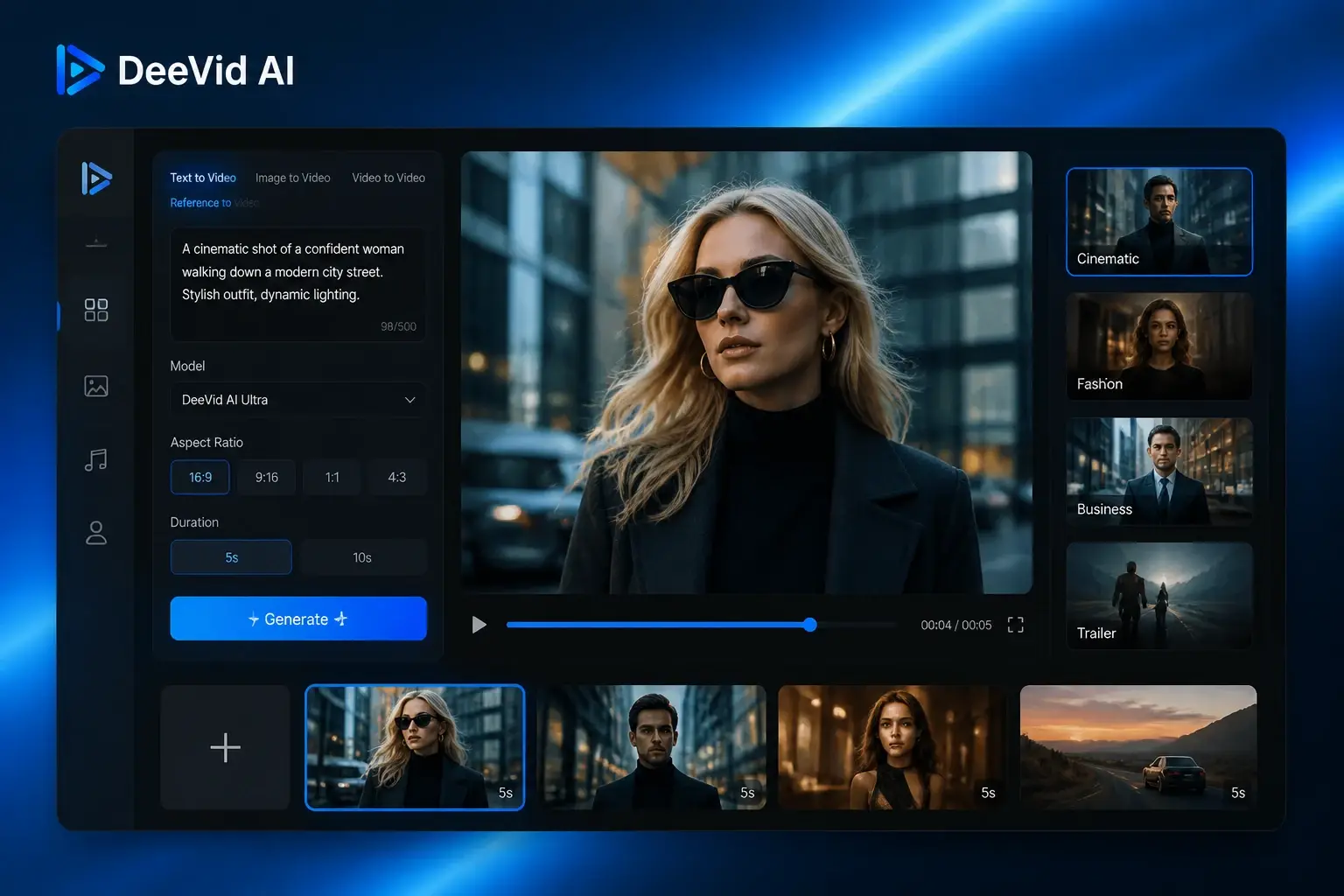
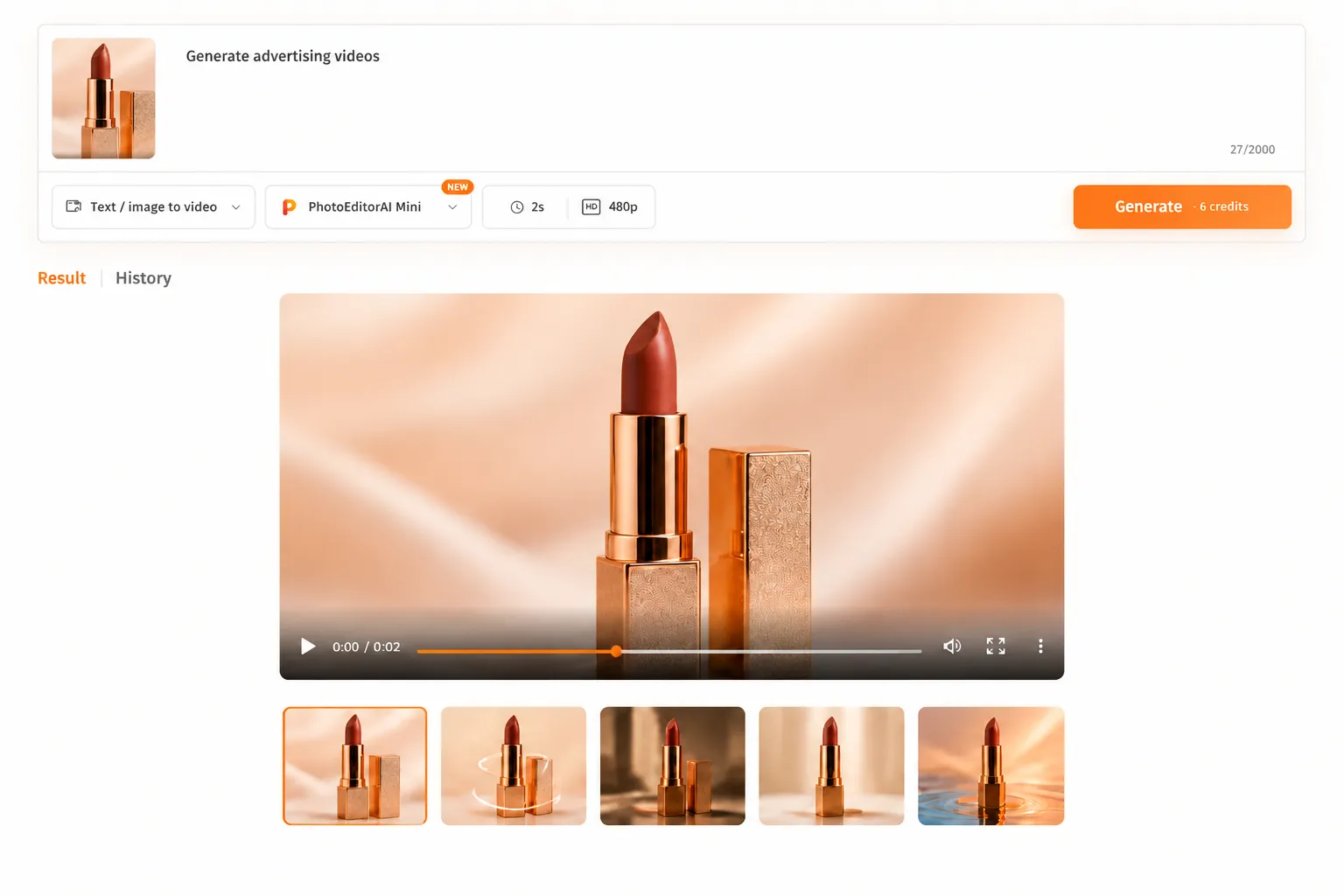
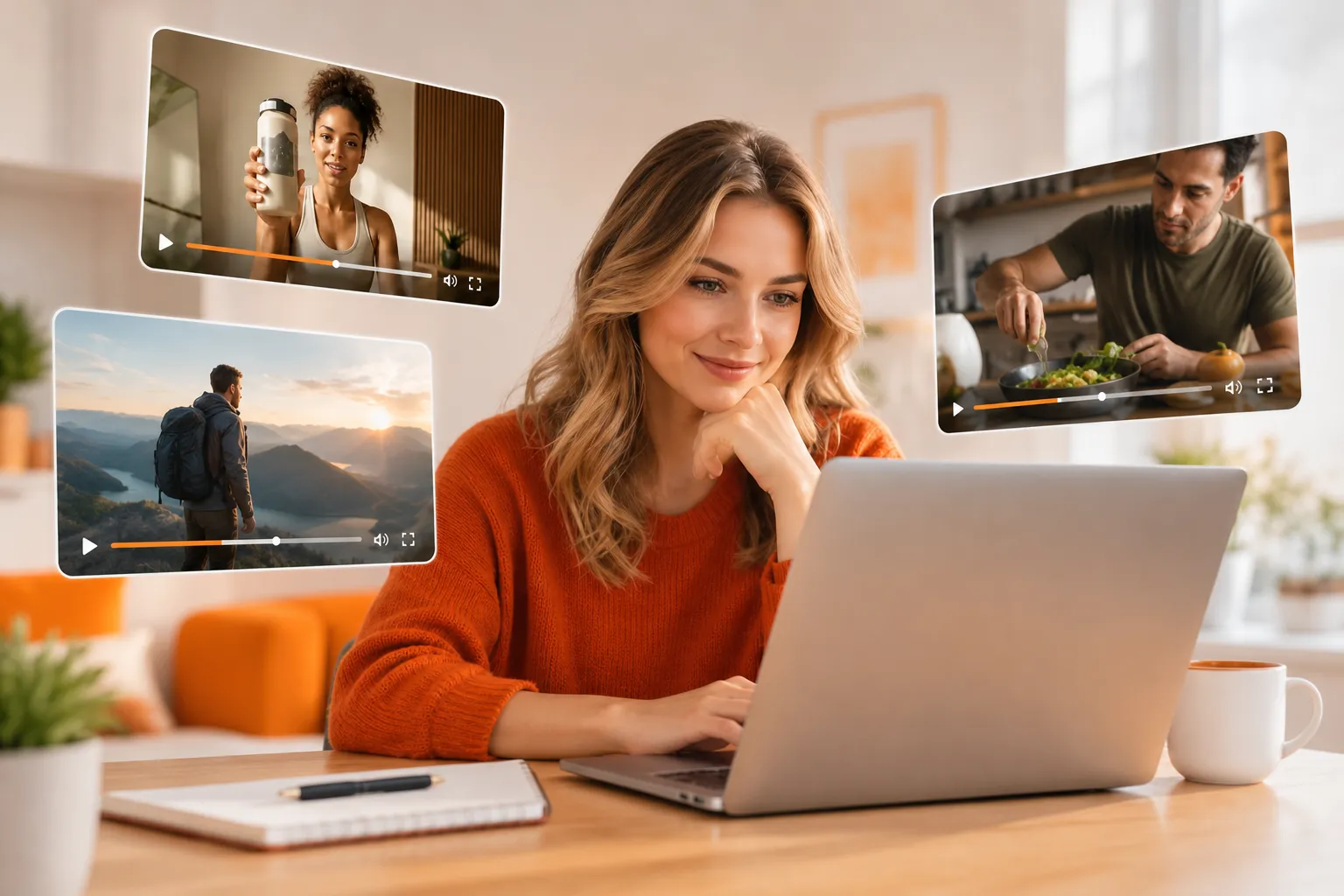
Deevid AI video generator interface

Deevid AI Alternative for Turning Ideas and Images into Videos

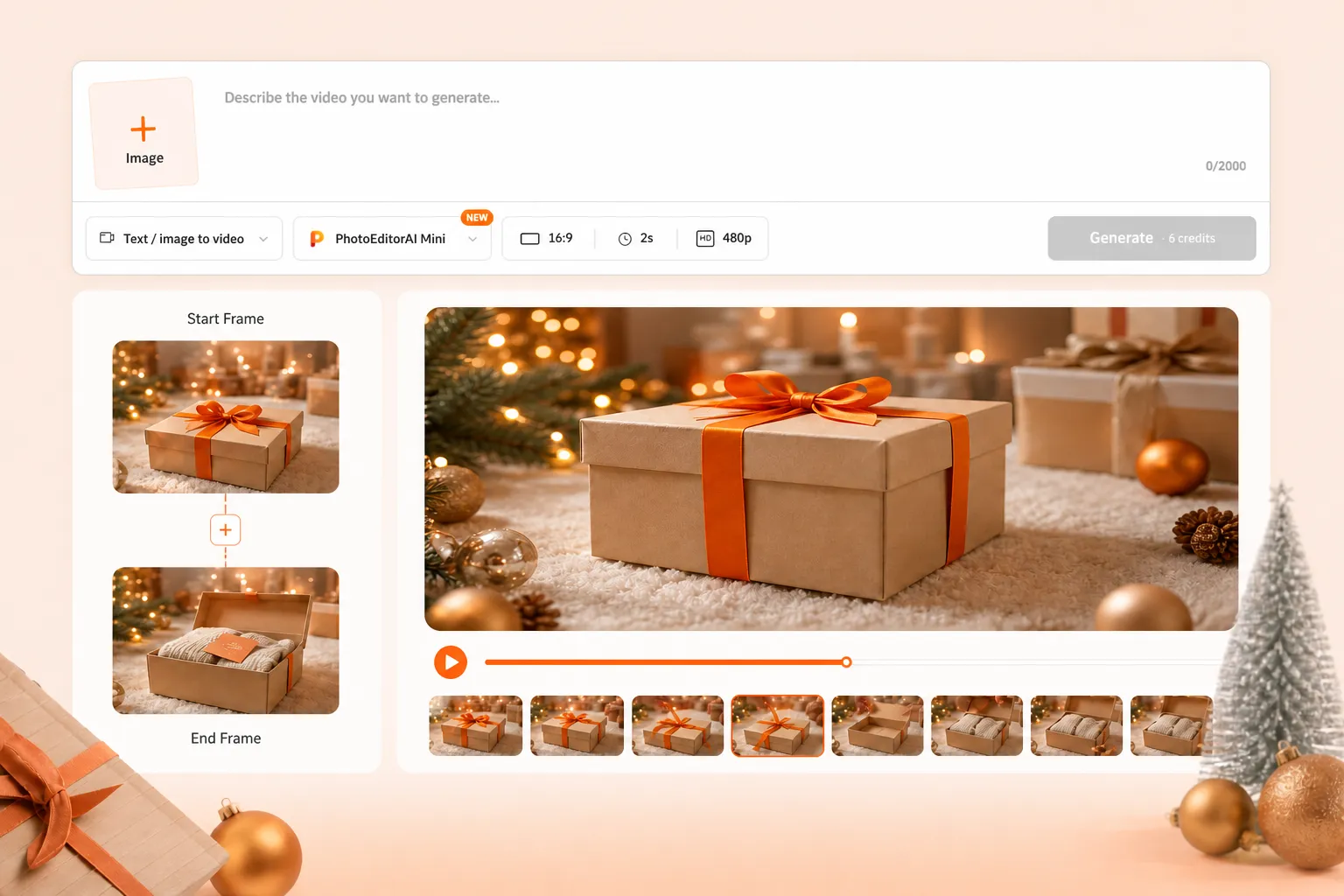
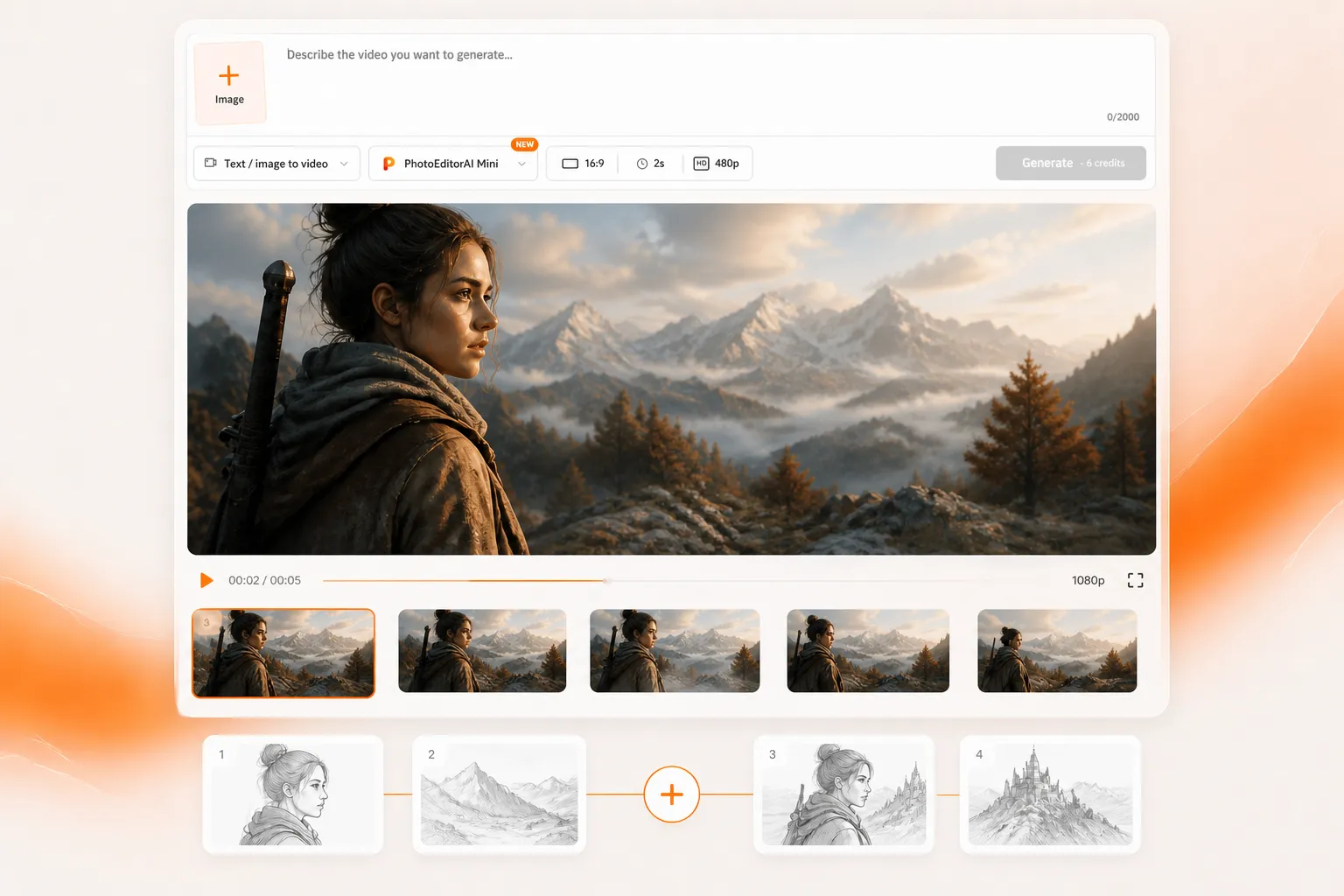
A product launch often starts with a few photos and a rough message. Use the AI photo editor to explore a still-image concept, then upload the chosen image to a video workflow and describe how the subject and camera should move. When you have no source image, start with a text description of the scene instead. For more visual guidance, use reference images or first and last frames, then choose the model, aspect ratio, duration, and resolution available for the selected mode before generating. This makes it easier to test an opening shot, product reveal, or social concept before building the rest of the campaign.

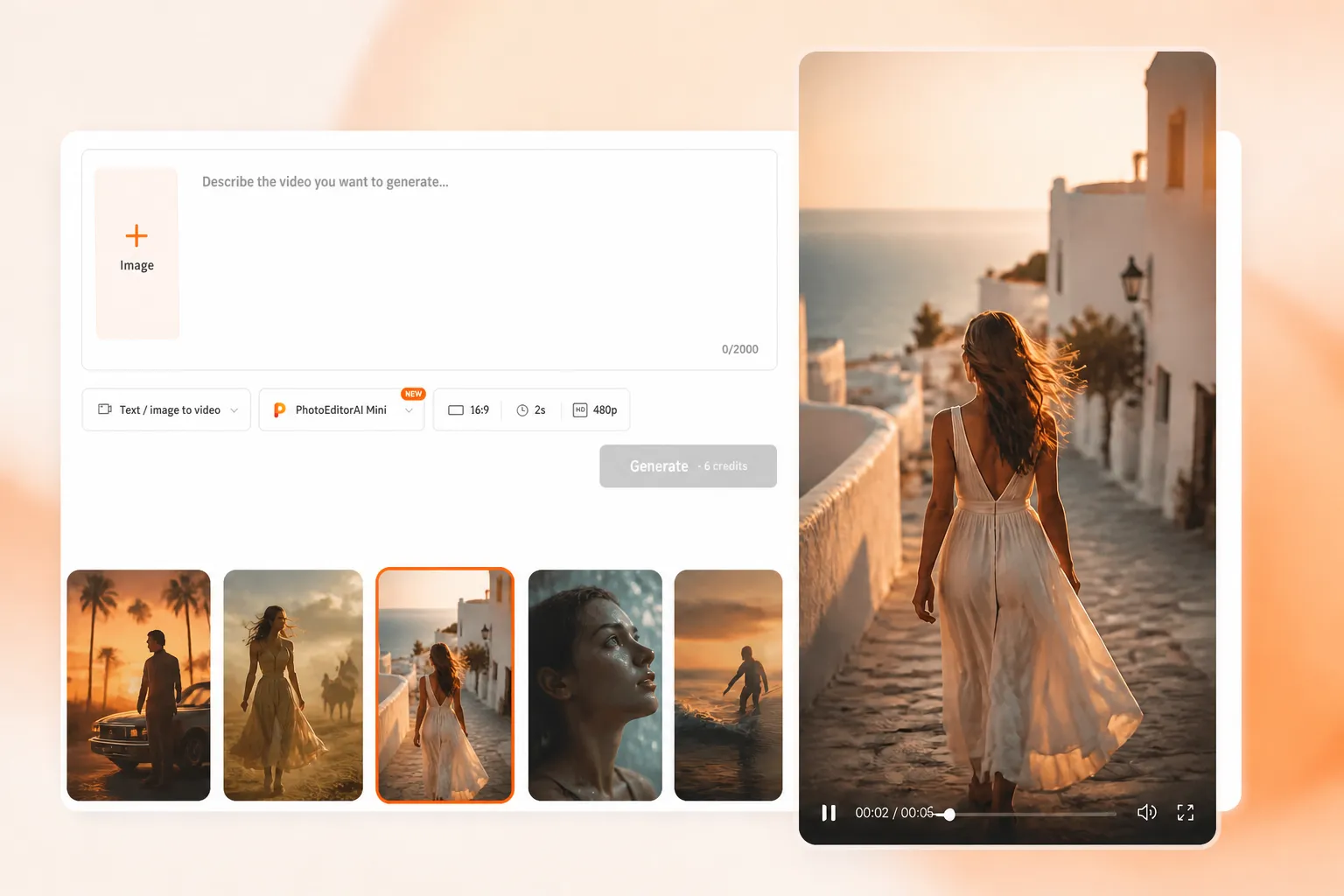
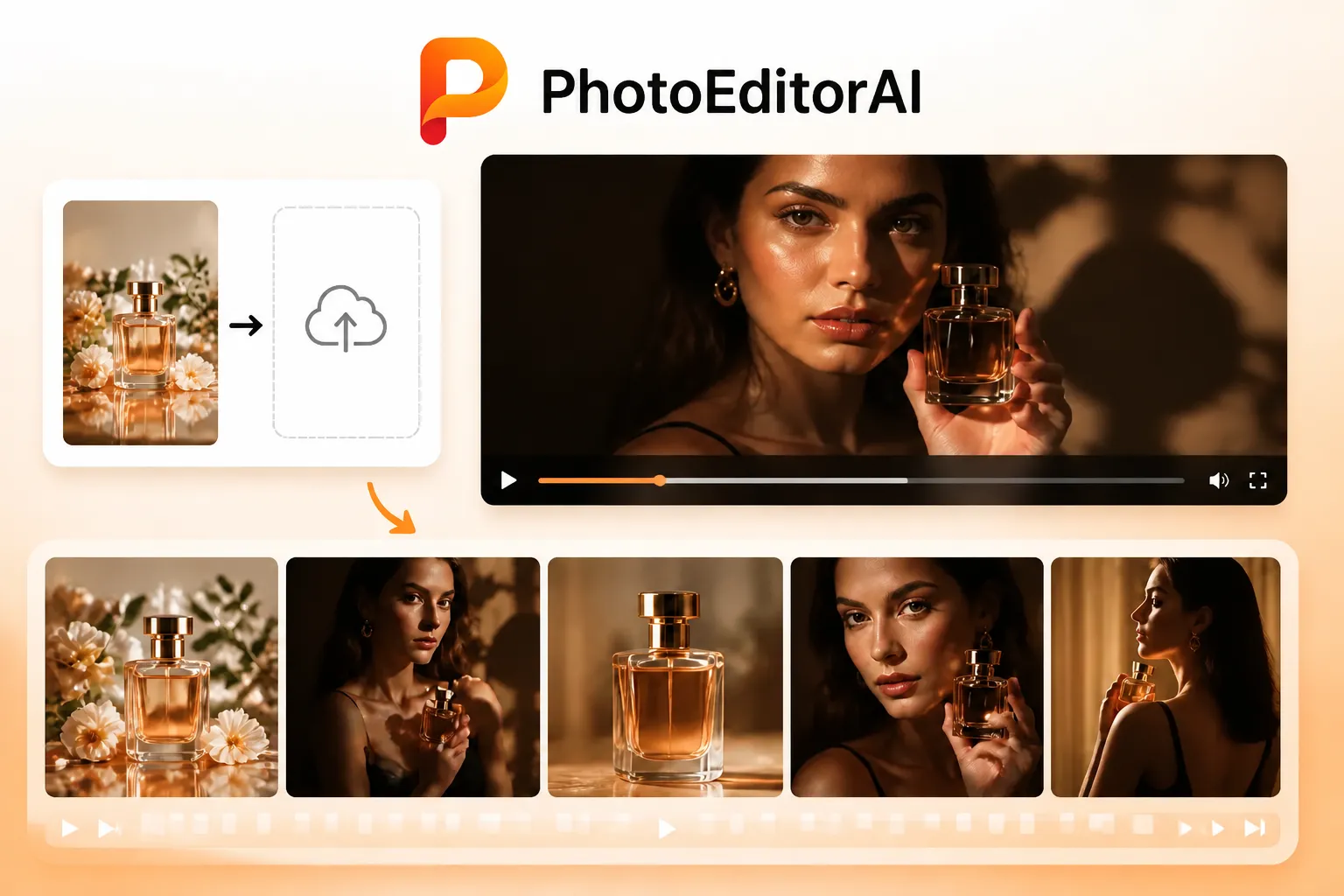
PhotoEditorAI workflow for turning ideas and images into video

Compare Deevid AI and PhotoEditorAI for Your Next Creative Task

The choice depends on what you need to produce: a broader multimedia project or an image and video draft with direct control over inputs and generation settings.

Comparison item Deevid AI PhotoEditorAI
Core focus An integrated creative platform spanning video, images, avatars, speech, and music. Image generation and editing alongside AI video creation in one online workspace.
Starting assets Its homepage presents text, photos, video, and audio as creative inputs. Text descriptions, source images, reference images, first and last frames, or an existing clip, depending on the mode.
Video workflows Dedicated text-to-video, image-to-video, video-to-video, and reference-to-video tools. Text/image-to-video, first-last frame, reference-to-video, and video-edit modes in the generator.
Production approach Agent, Canvas, and Editor are presented as stages of a connected production workflow. Select a mode and model, add source material and instructions, then set output options and generate.
Image creation Image generation and editing tools appear alongside its video features. An image workspace offers generation and editing from prompts and reference images.
Model selection The site promotes access to multiple models and task-based model matching. A model selector shows multiple video options with descriptions and credit rates.
Advertising workflow Dedicated AI Ads tools and templates are promoted for product campaigns. Create individual product scenes and video drafts from prompts, photos, or references for campaign review.
Output planning Settings depend on the selected tool and model. Aspect ratio, duration, and resolution controls are available in the video interface; options depend on the model and mode.
Best starting task A project that needs several media types or a connected production workflow. A product shot, social clip, scene test, transition, or visual variation you want to direct yourself.

What You Can Create with This Deevid AI Alternative

AI product reveal from a catalog photo

Turn a Catalog Photo into a Product Reveal

A store launch has product photos but no footage. Upload a packshot and describe a slow camera push, a rotating product view, or changing light around the subject. Review the generated clip as a candidate opening for a product page or paid social ad.

AI video drafts for testing an ad hook

Test an Ad Hook Before Booking a Shoot

A marketer has three opening ideas and needs to decide which deserves production time. Describe each scene, action, and camera angle, then generate short drafts that make the difference visible during campaign review.

Portrait animation for a creator introduction

Give a Portrait Movement for a Creator Introduction

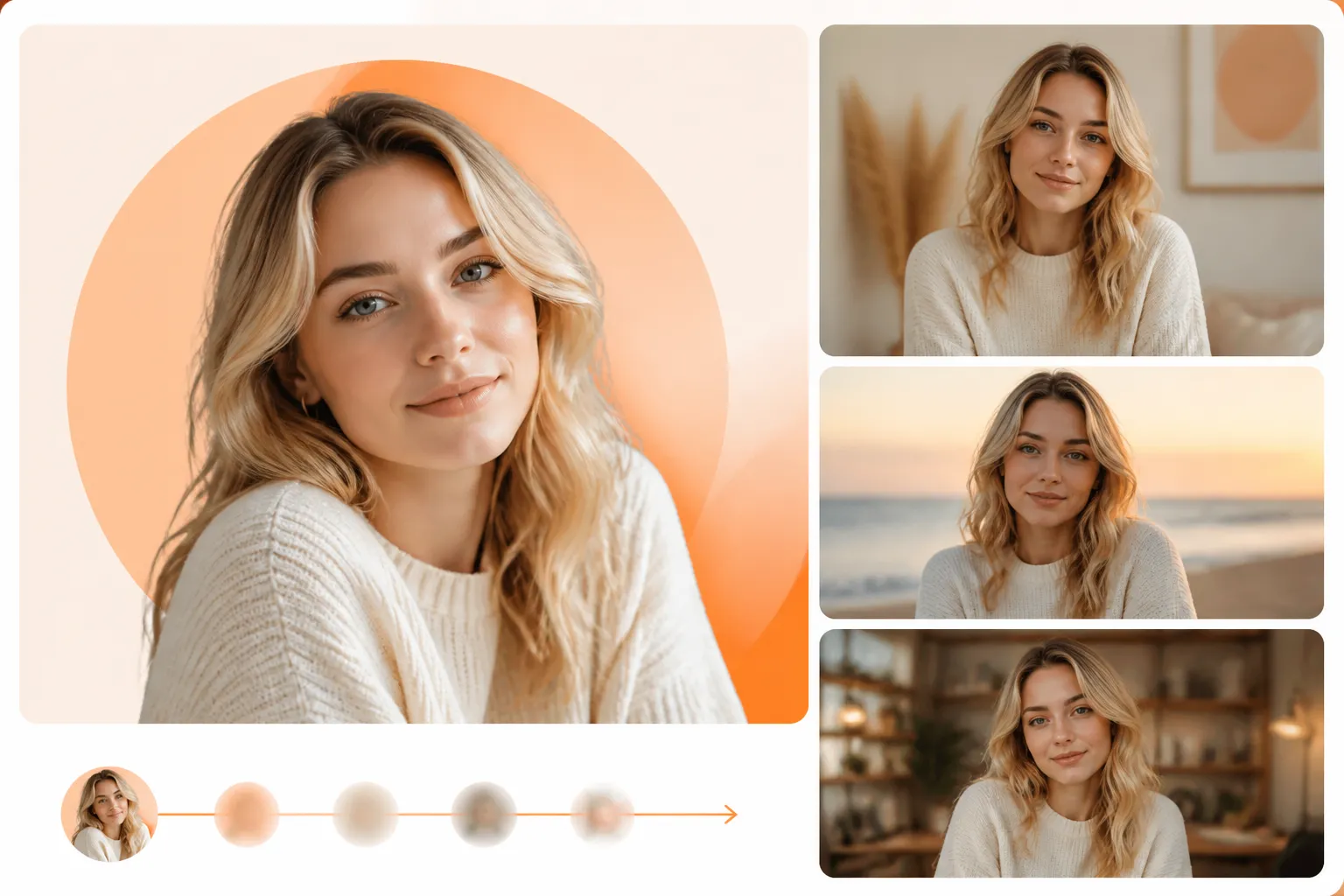
A creator needs an introduction clip but only has a profile photo. Use image-to-video to explore a small head movement, a changing background, or a gentle camera move, then check facial details before including the result in a social edit.

AI-generated vertical social concept

Explore a Trend Without Starting from a Preset

A social concept calls for a particular mood or visual surprise. Describe the setting, subject, and movement, or add a reference image to guide the look. Generate your own variation for a vertical post, with the composition planned around the subject.

AI transition between designed frames

Show a Transformation Between Two Designed Frames

A designer has the beginning and end of a reveal but needs to show how the change might unfold. Add both frames and describe the movement between them to explore a packaging reveal, scene change, or before-and-after concept.

Illustration animated for a story pitch

Bring an Illustration into a Story Pitch

A storyteller has a character drawing and a written scene. Upload the artwork and describe a limited action, atmosphere, and camera move. Use the resulting clip to discuss the story's visual tone and pacing before developing a longer sequence.

Why Try PhotoEditorAI as a Deevid AI Alternative

Get a First Draft from the Material You Have

An incomplete asset folder does not have to stop the concept stage. Start from a text idea when footage is missing, or use an existing image when the subject has already been designed or photographed.

Build a Still Concept Before Adding Motion

If the source image is not ready, use the image workspace to explore the visual first. Download the chosen image and upload it to the video workflow so the motion test begins with a clearer composition.

Guide the Transition You Need to Show

When the end of a reveal matters as much as the opening, first-last frame mode lets you supply both visual states. Describe the transition to give the generation a more specific direction than a single starting image.

Match the Frame to the Placement

A vertical feed and a landscape product page need different compositions. Set the available aspect ratio, duration, and resolution before generation to test the clip in a format closer to its intended placement.

Consider Credit Use Before Choosing a Model

Early experiments and selected campaign concepts may call for different generation choices. Compare the model descriptions and displayed credit rates before running a test, then review the result against the brief.

Describe the Change Without Building an Edit by Hand

For an early visual experiment, a prompt can specify the action, lighting, setting, or camera movement you want to explore. This lets you evaluate an idea before preparing a detailed manual edit or commissioning new footage.

How to Use PhotoEditorAI as a Deevid AI Alternative

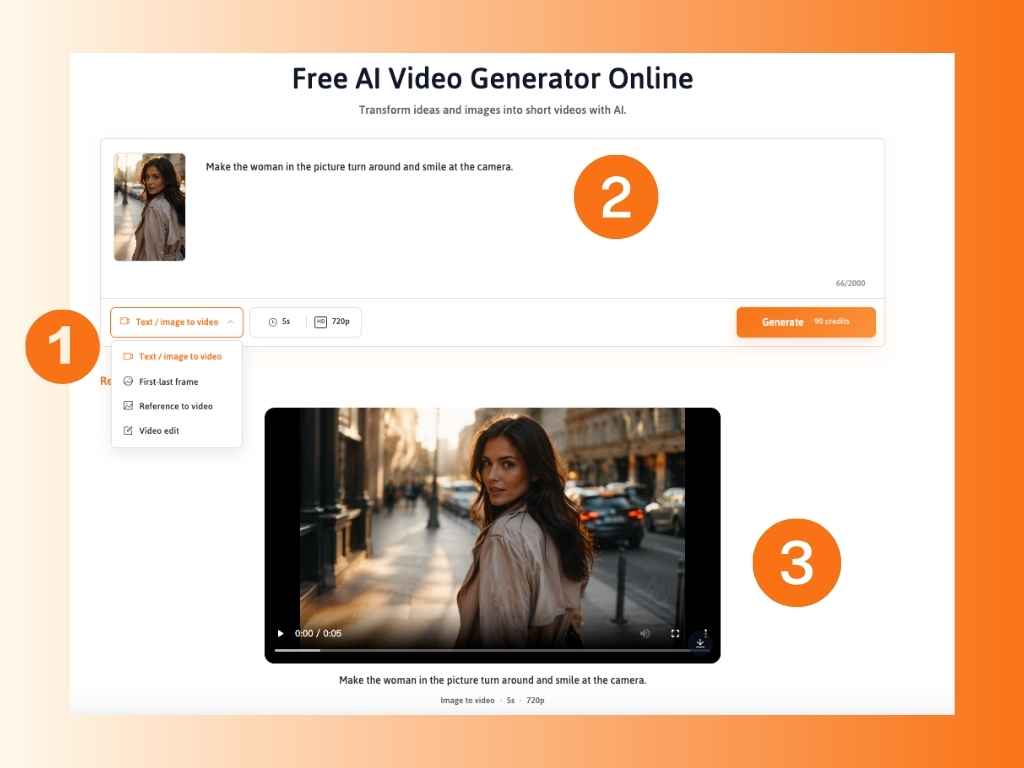
Choose a Video Mode and Add Your Input

Choose the mode that fits your project: text-to-video, image-to-video, first-last frame, reference-to-video, or video edit. Upload the required image or video assets, or enter a text description to get started.

Write Your Prompt and Adjust Video Settings

Describe the subject, action, camera movement, setting, lighting, and visual style. Select a model, aspect ratio, duration, and resolution based on your creative goals and the available options. Review the displayed credit cost before generating.

Generate, Review, and Refine Your Video

Generate a draft and review the motion, framing, timing, and visual consistency. Adjust your prompt, source assets, model, or settings if needed, then download the finished clip for your marketing campaign, product video, or social media content.

Steps for creating a video with PhotoEditorAI

FAQ About This Deevid AI Alternative

What is Deevid AI?

Deevid AI is a platform for creating videos and other media, including images, avatars, speech, and music. Its website promotes an integrated workflow using Agent, Canvas, and Editor, plus dedicated generation tools and templates.

What makes PhotoEditorAI a Deevid alternative?

PhotoEditorAI supports overlapping image and video creation tasks, including turning text or images into clips, using visual references, and editing images. It is an option when you want to choose the source, model, and output settings for an individual creative task.

Can I turn a photo into a video?

Yes. Select an image-to-video workflow, upload a source photo, and describe the movement you want. Start with a clear subject and a focused action, then review the generated clip for facial, product, and background details.

Can I create a video from text alone?

Yes. Use text-to-video to describe a scene without uploading an image. Include the subject, action, setting, camera movement, and mood so the prompt gives the generation a specific direction.

Can I use multiple reference images?

The reference-image uploader supports up to five JPG, PNG, or WEBP images, with a displayed limit of 24 MB per image. Choose a compatible reference workflow and explain how the images should guide the subject or visual style.

Can I use a first and last frame?

Yes. Select first-last frame mode and supply the opening and ending images required by that workflow. Describe the action or transformation between them and check the result for continuity.

Can I create product ads and vertical social clips?

You can generate product scenes and short visual drafts for those projects. Choose a suitable aspect ratio, such as 9:16 for a vertical placement, then review the result and assemble any additional copy, branding, or finishing elements needed for publication.

Which video resolutions and durations are available?

The video interface shows resolution options including 480p, 720p, and 1080p, alongside duration controls. The options you can use depend on the selected model and mode; check the active settings before generating.

Does this Deevid alternative include avatars, voice, and music?

The workflow described here covers PhotoEditorAI's image and video creation tools. If your project also requires talking avatars, voiceovers, or music, check for those specific capabilities before choosing the production workflow.

Is this Deevid alternative free to use?

Generation uses credits, with costs shown in the interface. Check your account's available balance and current offers before generating; the model and output settings affect how many credits a task requires.

Is PhotoEditorAI the same service as Deevid AI?

No. This page introduces PhotoEditorAI as an alternative for related creative tasks. Deevid-specific tools, subscriptions, credits, and model access belong to Deevid's own service.

Can I use the generated content commercially?

For commercial projects, use only source images, videos, and audio you have the legal right to use. Ensure your generated content follows the platform's usage policies and does not promote violence, explicit sexual content, illegal acts, or other prohibited activities.