Free EzCreate AI Image Editor Online

Try this EzCreate alternative for free. Start with an image or simple description, choose an AI model, and create product, portrait, ad, or social media visuals online.

Reference images
0 / 5

JPG, PNG or WEBP. Up to 5 images, 24MB each.

0/1000
No result yet

Your generated images and videos will appear here.

What Is EzCreate?

EzCreate is an online AI image tool for users who want to describe an edit and quickly create a visual result. It supports tasks such as removing objects, replacing backgrounds, extending scenes, improving image quality, editing multiple images, and exploring image models from prompts. PhotoEditorAI targets a similar search intent but offers a broader workflow: start with an image or text description, select a model, adjust output settings, and create visuals for ecommerce, campaigns, portraits, ads, or social content.
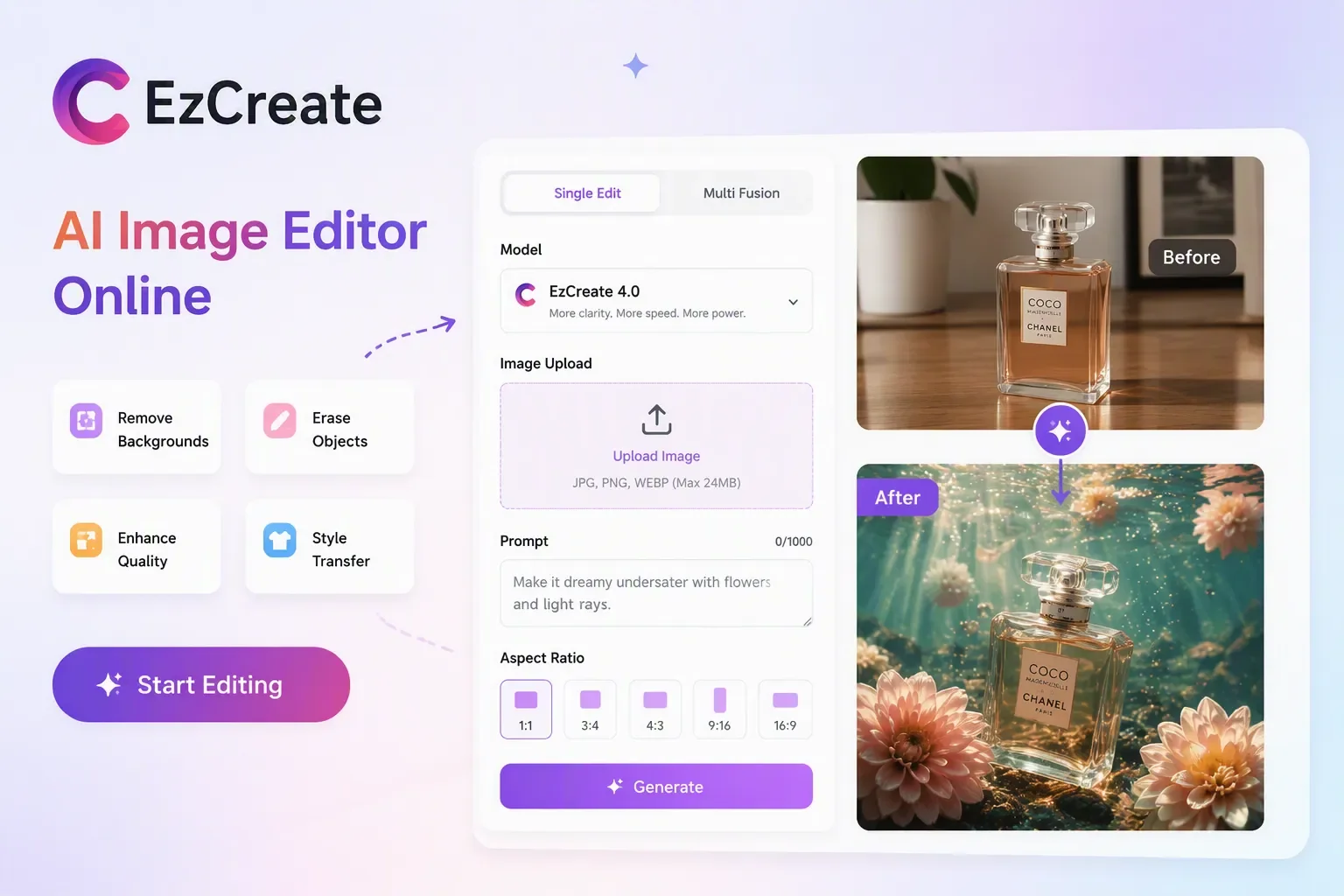
EzCreate alternative for product photos editing

EzCreate Alternative for Image Creation and Editing

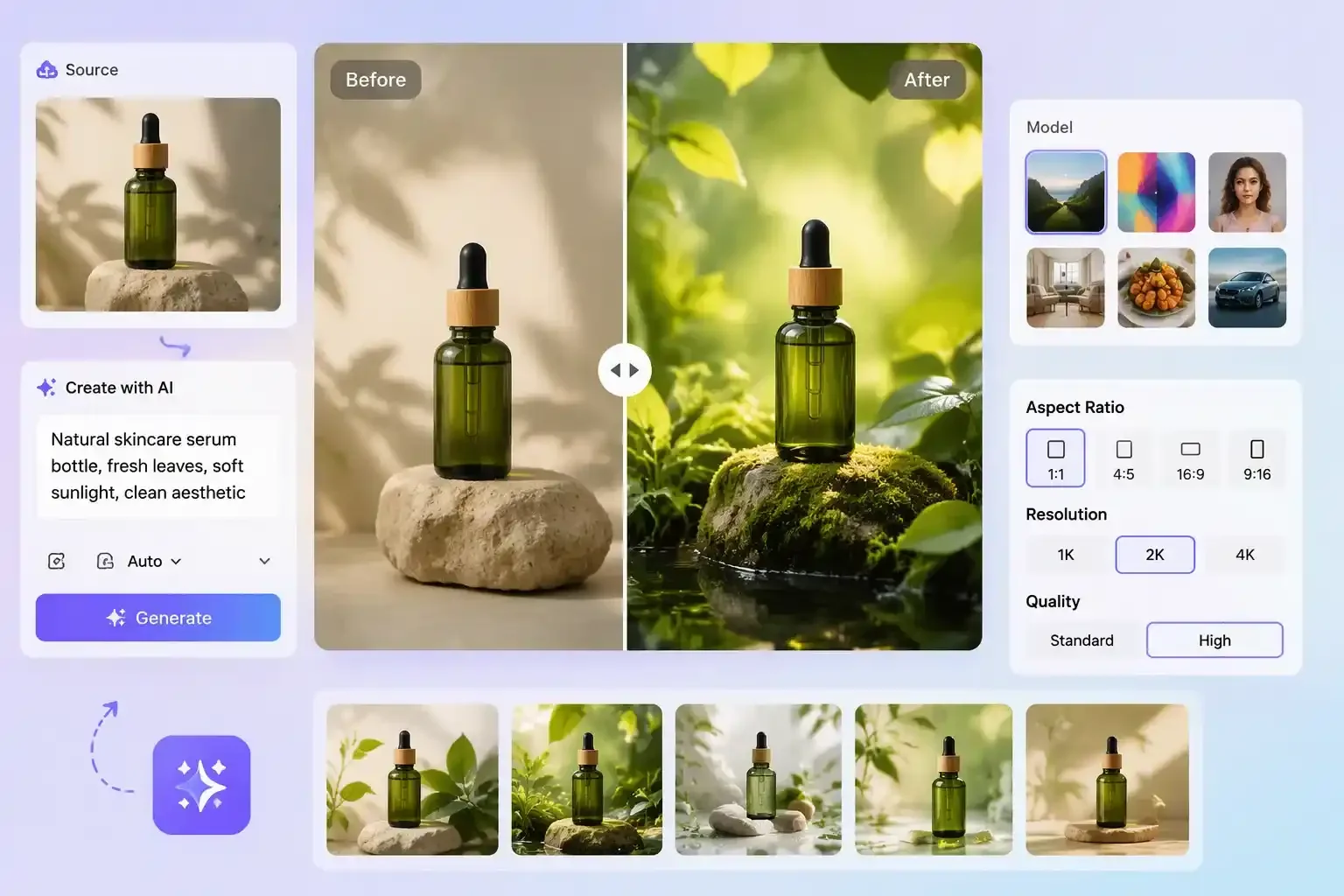
When a single object edit is not enough, an EzCreate alternative should help you move from source material to a finished visual. With PhotoEditorAI, you can edit images online by uploading a source image or describing the scene you want, then refine the result with prompts, model selection, aspect ratio, resolution, and quality settings. This gives you a more complete workflow for turning product photos, portraits, campaign concepts, or social media ideas into polished visual drafts.

EzCreate alternative AI image editor workflow for creating product images

Compare EzCreate and PhotoEditorAI for Your Next Image Edit

If you need fast AI image editing, PhotoEditorAI is a practical EzCreate alternative for both image-based edits and prompt-based creation.

Comparison item EzCreate PhotoEditorAI
Core focus Prompt-led image editing for straightforward visual changes. Image editing and image creation in one online workflow.
Typical starting point A user who already knows the edit they want and wants to move quickly. A user who may start from a source image or from a text description.
Common users Creators, small businesses, students, and marketers. Creators, marketers, product teams, and solo builders working on product, portrait, ad, or social visuals.
Main workflow style Compact editing flow centered on object, background, expansion, or enhancement tasks. Source image upload or text description, then model choice, then output settings and generation.
Image editing fit Useful for object removal, background replacement, generative expansion, and prompt instructions. Useful when the edit also needs model selection, aspect ratio, image count, resolution, and quality control.
Campaign and ecommerce use Good for quick edits that support listings or visual tests. Good for product, portrait, ad, and social asset production when several output types are needed.
Output direction Best for fast variations and direct edits inside a focused editor. Best for a repeatable production-style workflow that can turn one asset into multiple usable visuals.
Free access and limits Free access or trials may be available, with limits that can change. Browser-based use online, with the same need to check current access, model availability, and usage limits.
Commercial use Review the current license, plan, and source-asset requirements. Commercial use depends on the current product, model, and source-asset terms.

What You Can Create with This EzCreate Alternative

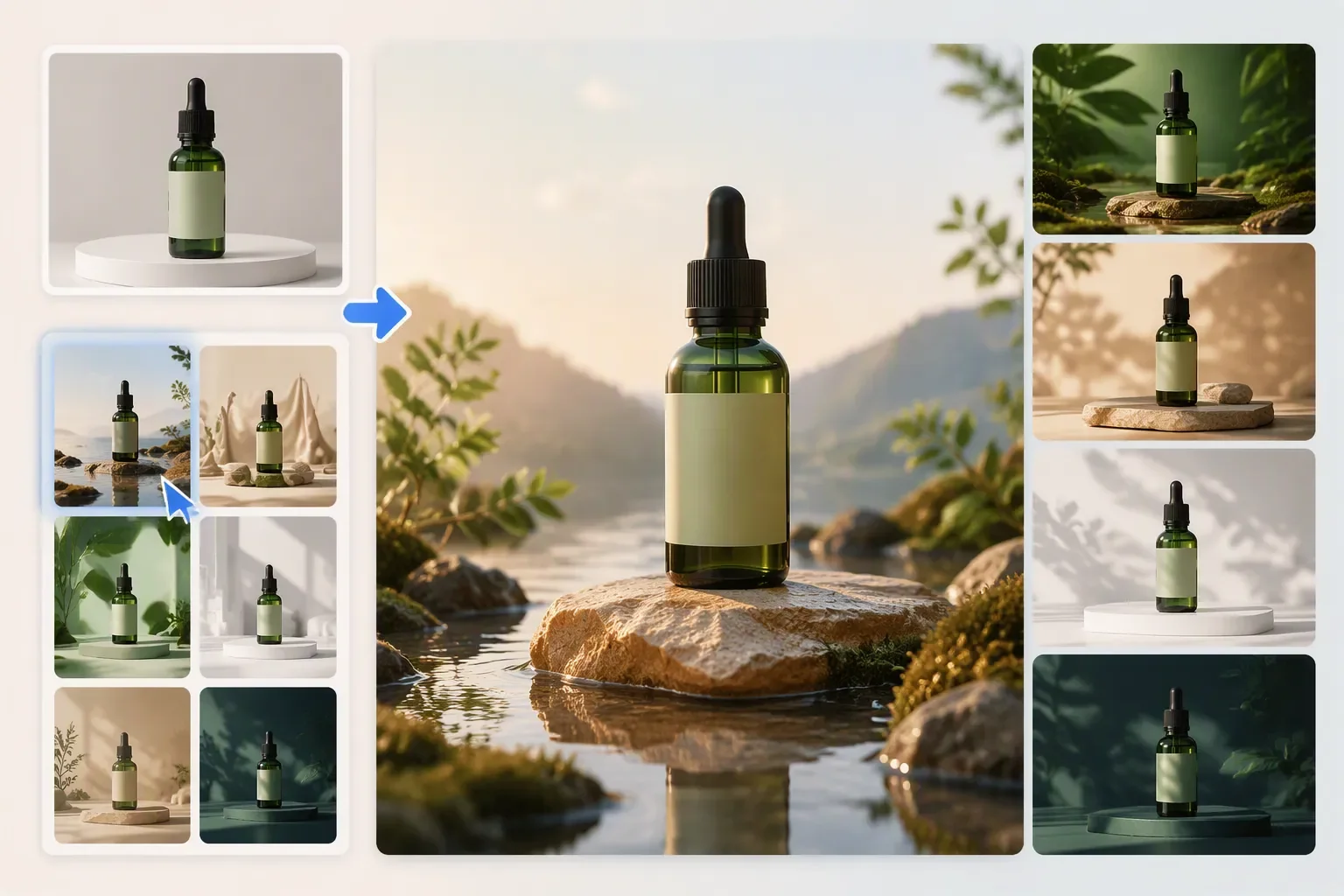
EzCreate alternative for creating professional skincare product visuals

Create a Polished Product Hero for Launch

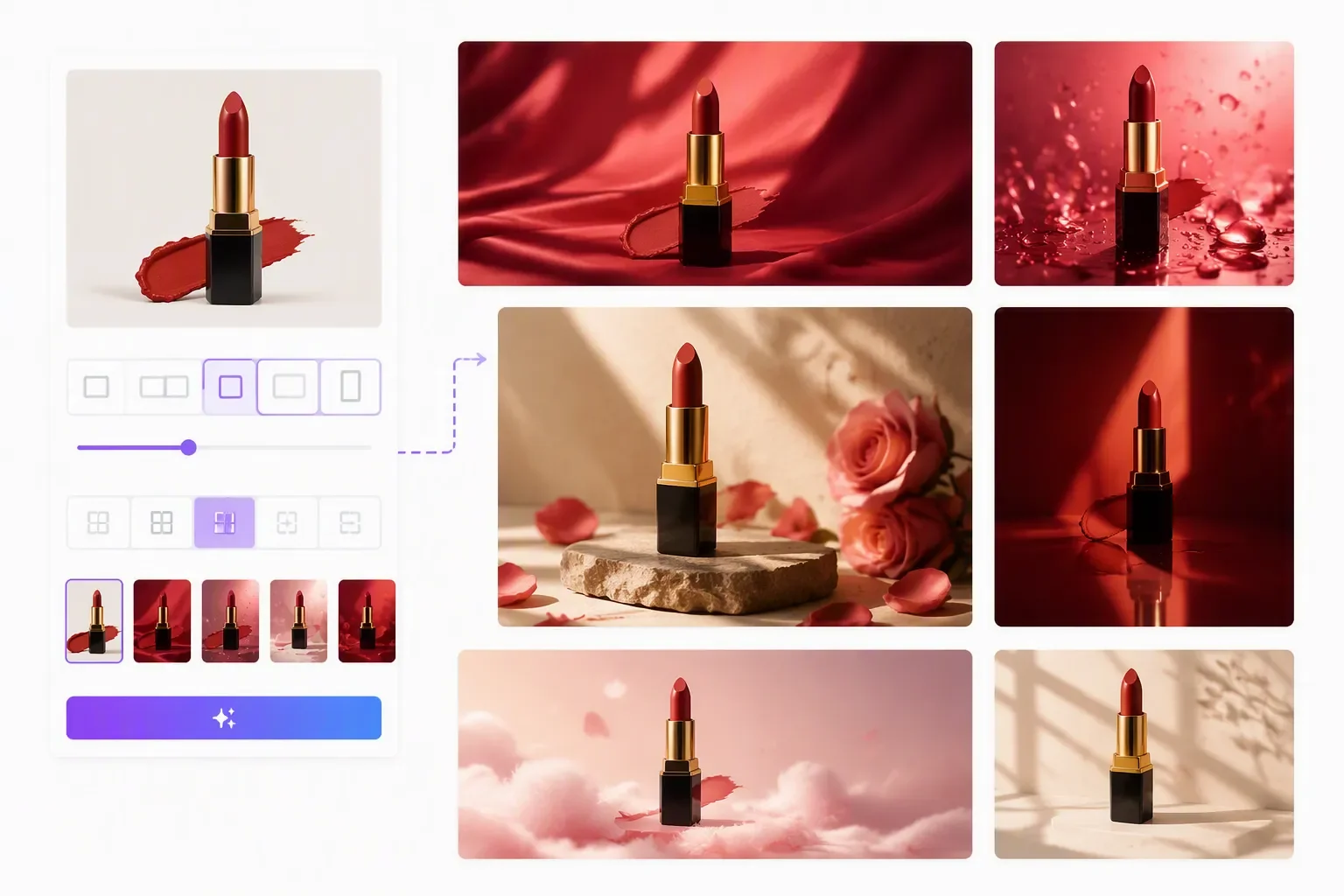
Upload a product image and describe the campaign look you need. A seller can test backgrounds, lighting, and compositions before choosing a hero visual for an online store, landing page, or ad creative.

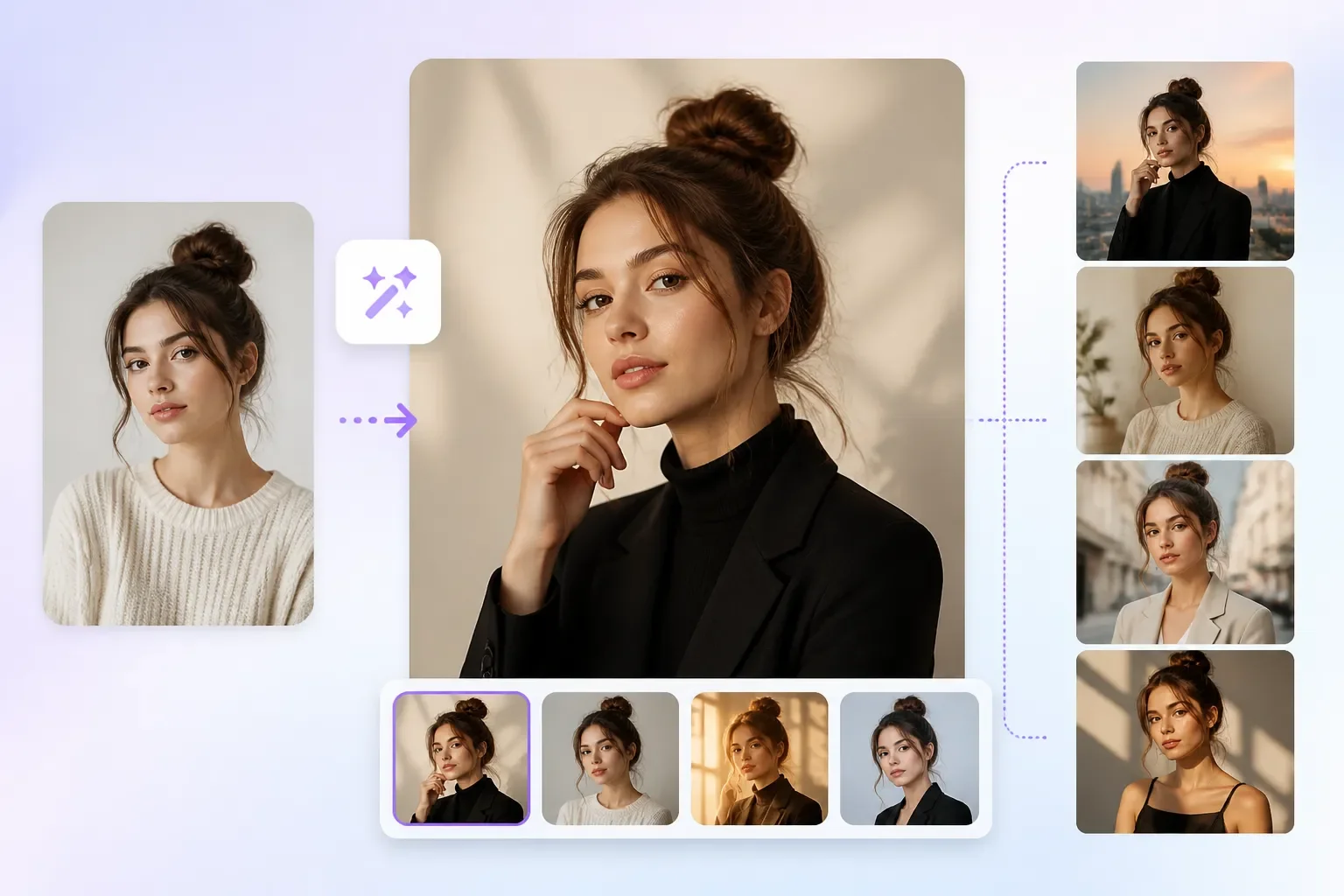
EzCreate alternative for creating portrait variations with different styles and backgrounds

A Portrait Needs a Fresh Style Without a Full Reshoot

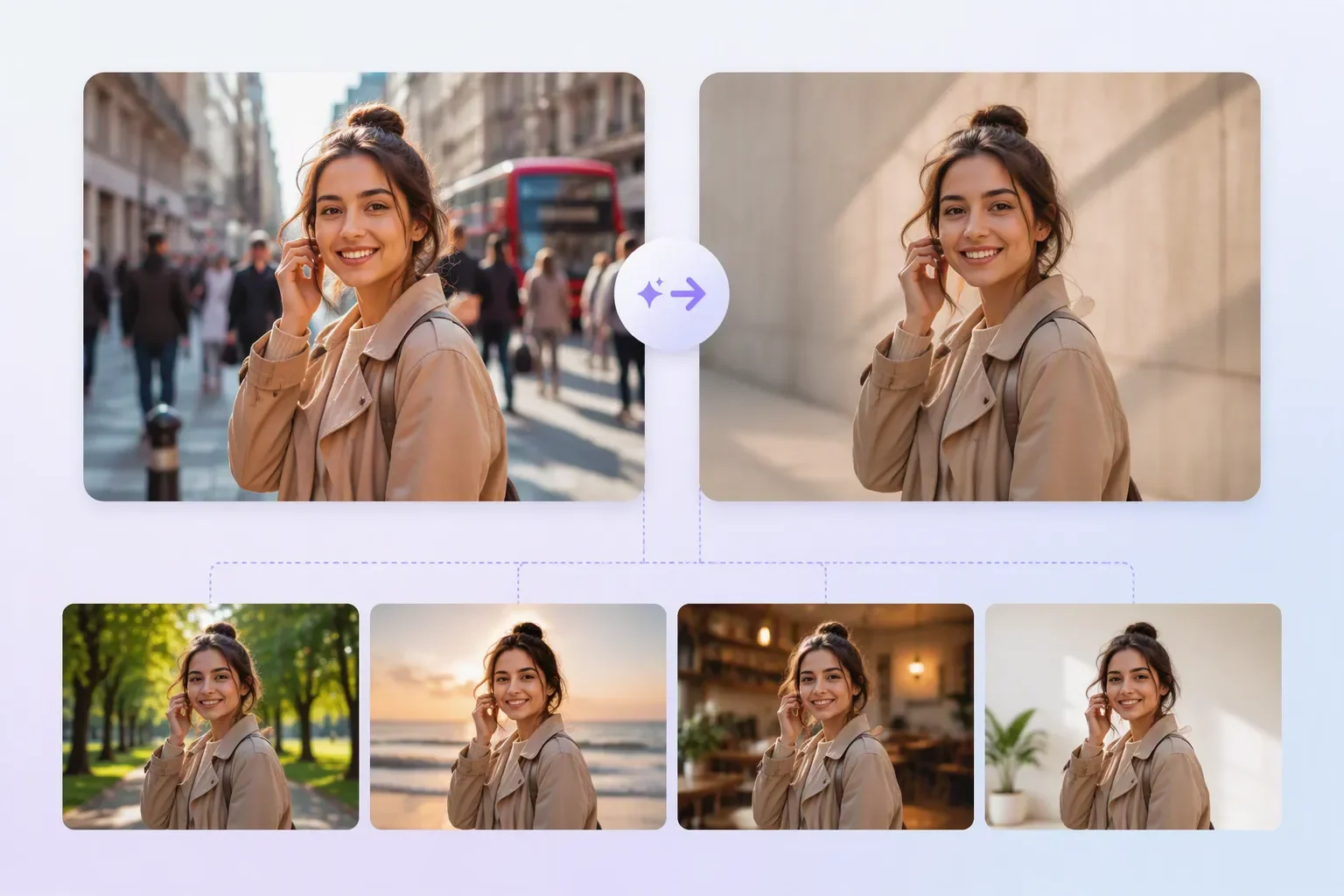
Start from a portrait and guide the AI toward a more polished mood, background, or composition. Creators can prepare profile images, creator-brand visuals, or campaign portraits while keeping the original person as the reference.

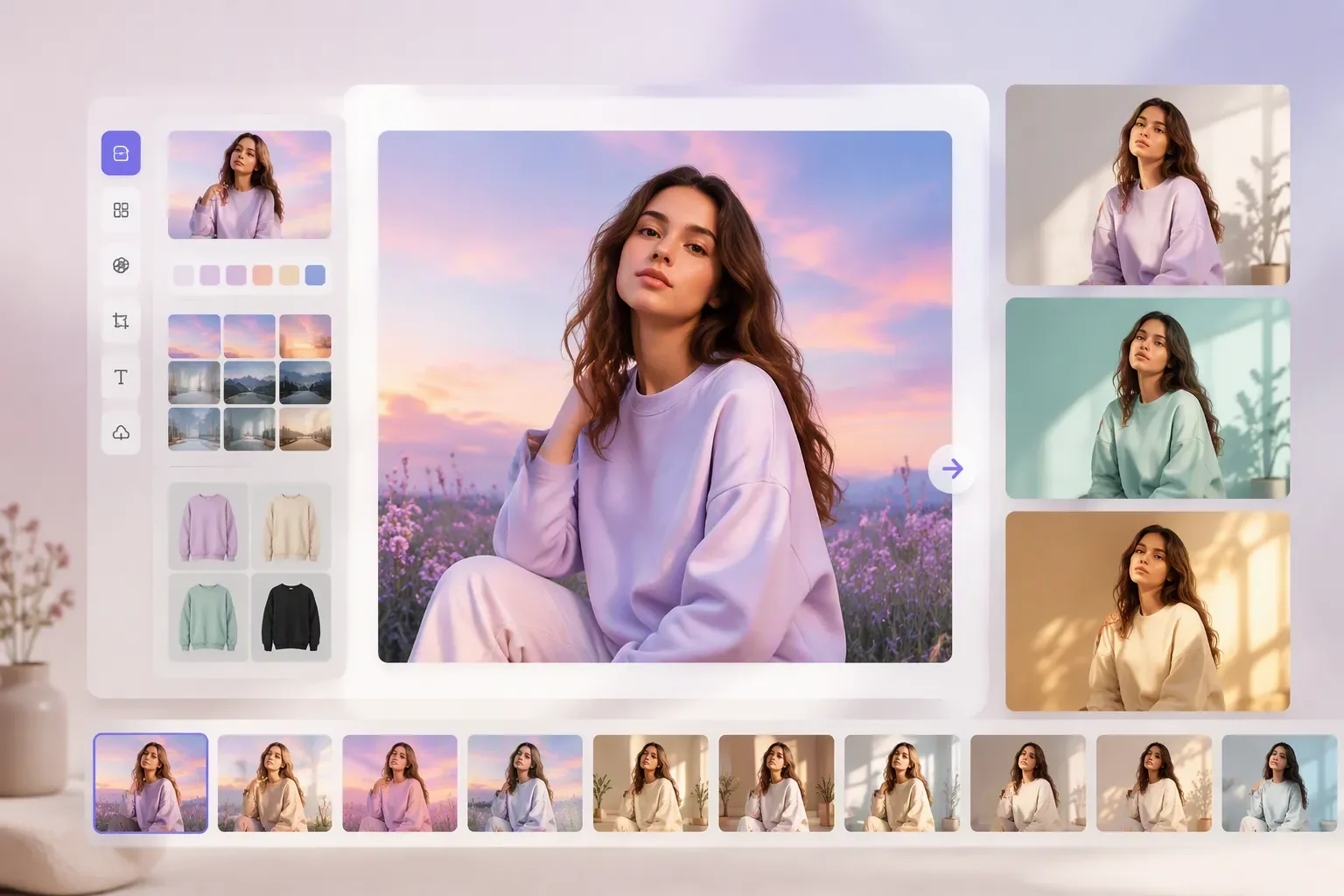
EzCreate alternative for editing portraits, backgrounds, colors, and creative variations

An Ad Concept Exists, but the Visual Does Not

Describe the product, setting, audience, and mood, then generate a visual direction before spending time on manual design. Marketers can turn rough copy ideas into image drafts for campaign review.

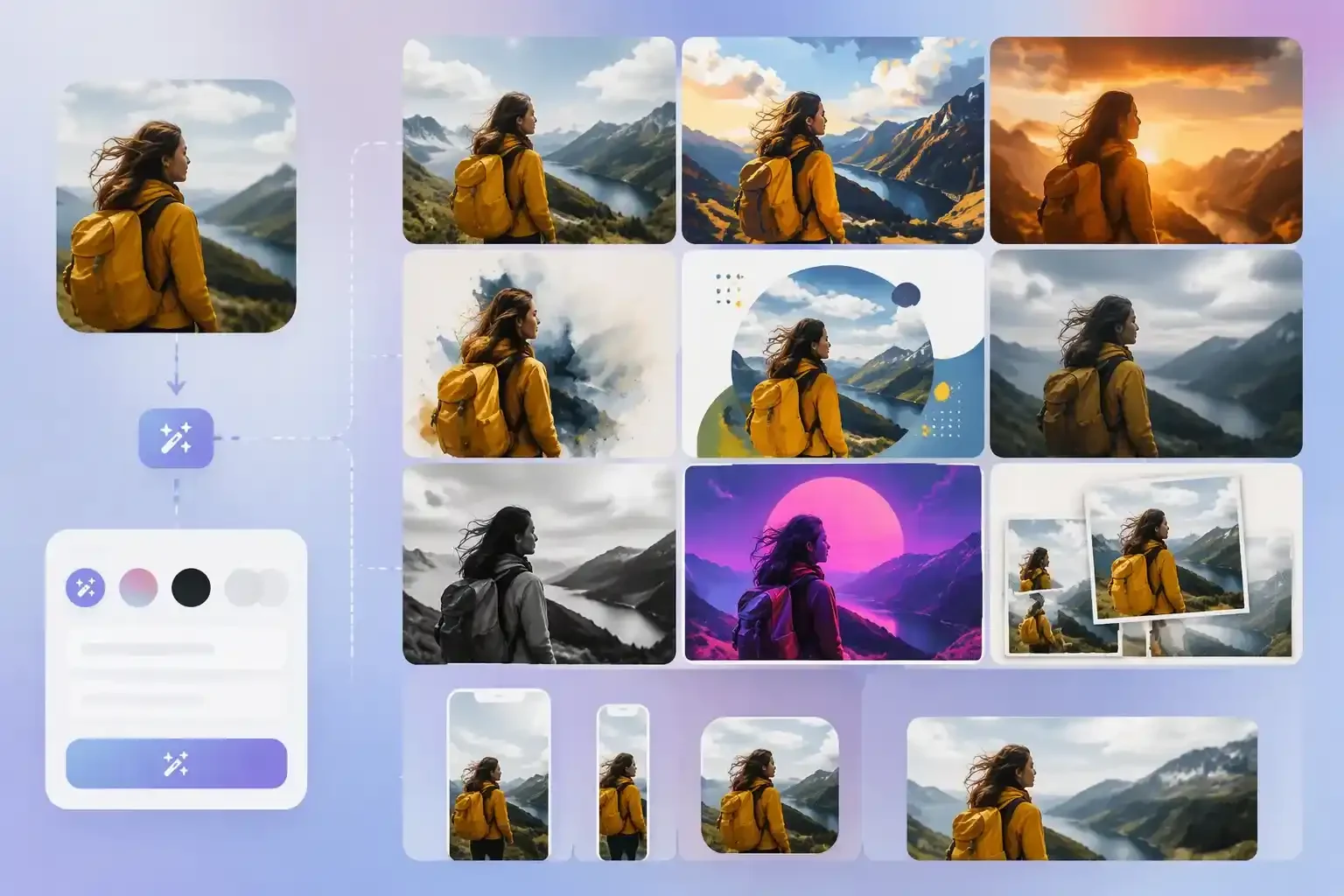
EzCreate alternative for transforming photos into different artistic styles

Social Posts Need Multiple Visual Directions Fast

Use one source asset or prompt to explore different styles for posts, stories, thumbnails, and covers. A content creator can compare options before selecting the version that fits the platform and message.

EzCreate alternative for removing distracting people from portrait backgrounds

A Background or Object Distracts from the Main Subject

Describe what should change and let the editor rebuild the image around the key subject. This helps users clean up clutter, test a new background, or create a more focused visual for publishing.

EzCreate alternative for generating multiple product scenes from one source image

A Creative Brief Needs Visual Samples Before Approval

Use PhotoEditorAI to turn a written direction into early visual options. Designers, founders, and agencies can share image drafts that make mood, composition, and product context easier to discuss.

Why Try PhotoEditorAI as an EzCreate Alternative

Start Free Online Before Committing

The page can invite users to try the EzCreate alternative online first, which lowers the barrier for creators who want to test whether the workflow fits their image task.

Use a Real Image or a New Description

Some tools force the project into one input style. PhotoEditorAI supports both uploaded source images and text descriptions, so users can begin with the asset or idea they already have.

Make the Output Fit the Channel Earlier

Aspect ratio, resolution, quality, and image-count choices help users plan for the final destination before generation instead of resizing or reworking the image later.

Cover More Than One Edit Type

The workflow is suitable for background changes, object edits, style direction, product scenes, portraits, ads, and social visuals, making it useful when a project grows beyond a single quick edit.

Reduce Manual Setup for Campaign Visuals

A marketer can move from prompt and reference image to several visual options without preparing layers, masks, or separate design files first.

Keep Iteration Close to the Original Task

Because the source, prompt, model, and output settings stay together, users can refine the same visual direction instead of jumping between unrelated tools.

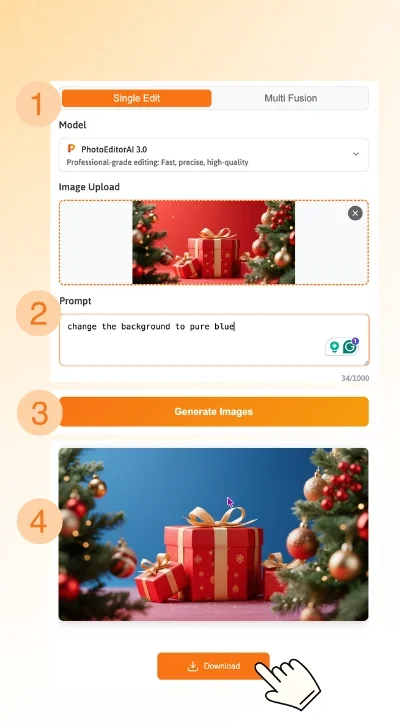
How to Use PhotoEditorAI as an EzCreate Alternative

Choose an AI Model

Start by selecting the AI model that fits your editing or creation task. PhotoEditorAI gives you access to different models for product images, portraits, ads, social visuals, and other creative projects.

Upload Your Image or Start from Text

Upload a source image when you want to edit an existing photo, or enter a description to create something new. This EzCreate alternative uses your image or text as the starting point for generation.

Describe Your Edit and Adjust the Settings

Tell the AI photo editor what you want to change or create. You can also choose the aspect ratio, resolution, quality, and number of images to better match your intended use.

Generate, Preview, and Download

Generate your image and review the result. If needed, refine the prompt or settings and try again. Once you're satisfied, download the final image for product pages, portraits, ads, or social media.

Four-step PhotoEditorAI workflow for an EzCreate alternative

FAQ About This EzCreate Alternative

What is an EzCreate alternative?

It is an AI image editing workflow that can serve users searching for EzCreate-style image creation or editing. PhotoEditorAI focuses on uploading or describing a source, choosing a model, and creating visuals for products, portraits, ads, and social content.

How does this EzCreate alternative work?

You provide a prompt and, when needed, a source image. Then you choose the model and output settings before generating an edited or newly created image online.

Can I use PhotoEditorAI for product images?

Yes. Product visuals are one of the stated use cases. You can start with a product photo and describe the background, lighting, composition, or campaign style you want to test.

Can I create social media visuals with this EzCreate alternative?

Yes. The workflow can help create post images, story visuals, thumbnails, covers, and campaign drafts when you need several visual directions from one source idea or asset.

Do I need a source image to start?

No. You can upload a source image when you want to edit or preserve an existing subject, or describe the image you want when the project starts from a text idea.

Can I choose the AI model and output size?

Yes. PhotoEditorAI presents model selection and output controls such as aspect ratio, resolution, quality, and image count before generation.

Is this page a direct copy of EzCreate?

No. The landing page should position PhotoEditorAI as an alternative for users with similar intent, while explaining PhotoEditorAI's own workflow and supported creative uses.

What should I write in the prompt?

Describe the subject, what should change, the style or mood, the background, and where the image will be used. A clearer prompt usually gives the AI more useful direction.