Free EzMaker AI Photo Editor Online

Looking for an EzMaker Alternative? Upload images or describe scenes, choose a model, and create product, portrait, ad, and social visuals with PhotoEditorAI.

Reference images
0 / 5

JPG, PNG or WEBP. Up to 5 images, 24MB each.

0/1000
No result yet

Your generated images and videos will appear here.

What Is EzMaker?

EzMaker is an online creative workspace for people who want to move from a visual idea to an image with minimal technical setup. Instead of arranging every layer manually, users can provide a reference photo or describe a scene, then explore changes to the setting, styling, subject, and composition. That makes it useful for early concepts, storefront imagery, campaign mockups, profile photos, and everyday social posts. PhotoEditorAI follows the same broad goal while putting more emphasis on the path from source material to a planned output.

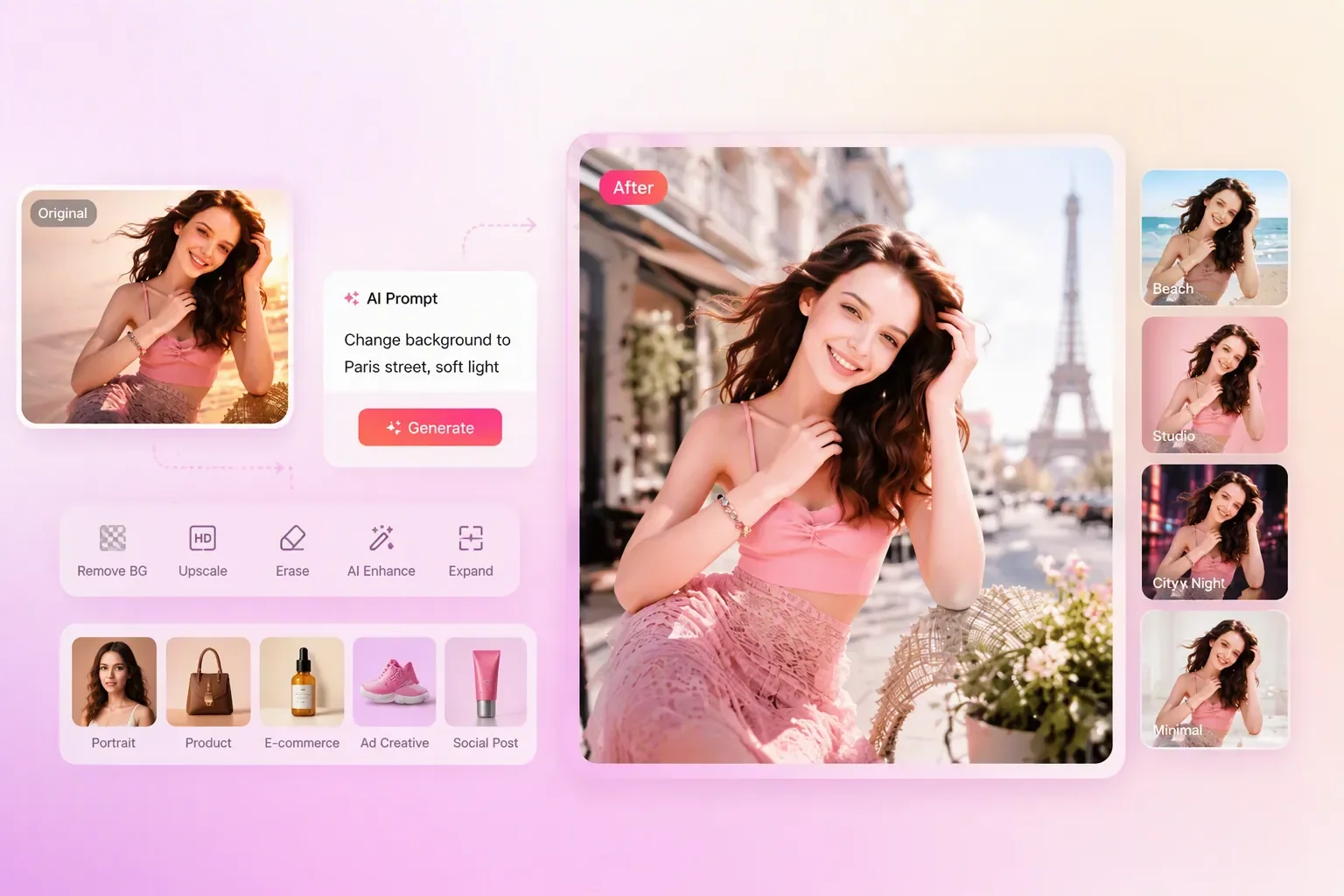
EzMaker alternative for AI photo editing with background replacement and portrait generation workflow

A Better EzCreate Alternative for Visual Creation

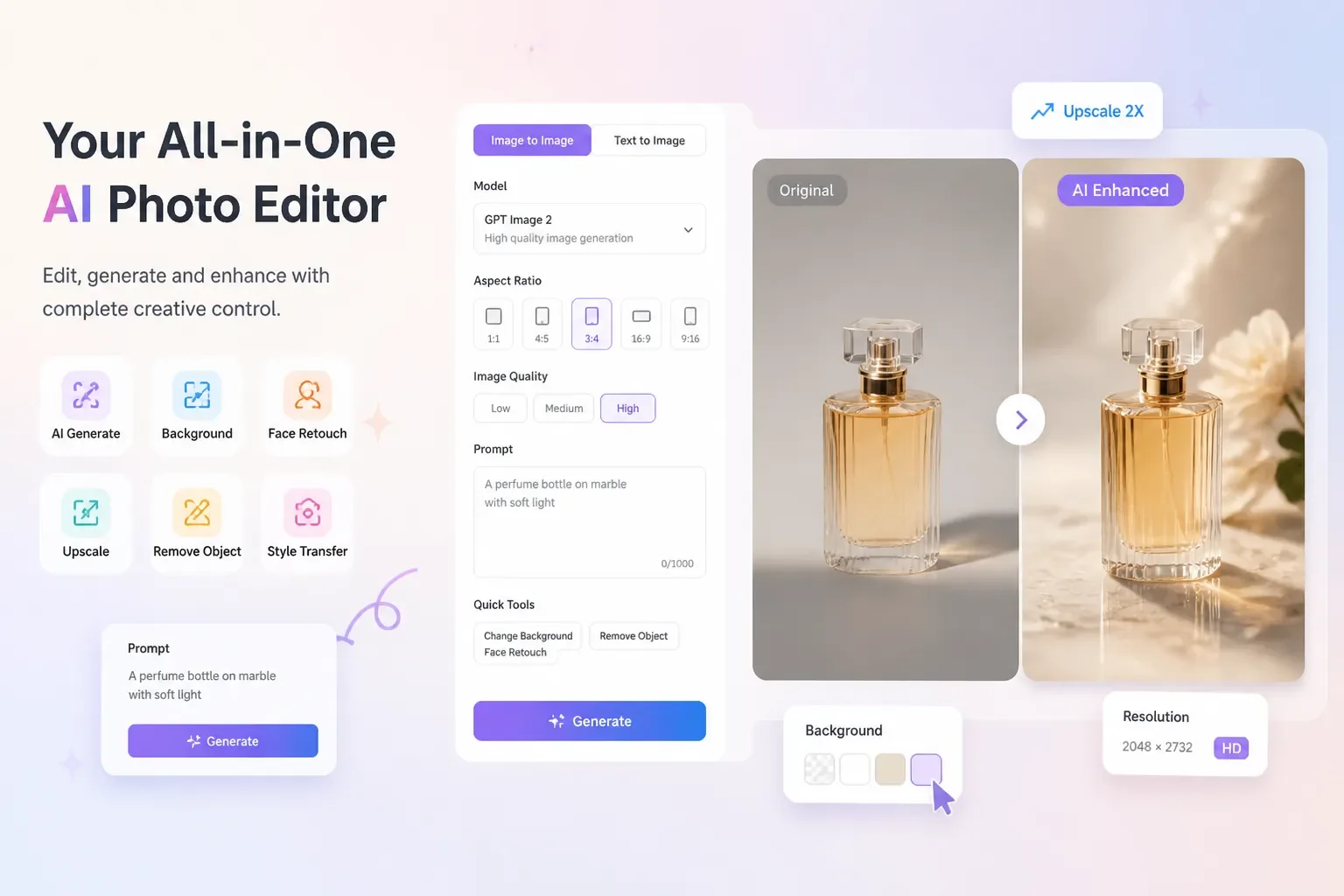
Many image tools are good at one isolated edit, but a real campaign usually needs several directions before anyone approves a final look. PhotoEditorAI keeps the reference, creative instruction, model, aspect ratio, resolution, and quality choices in one workspace. You can preserve the important parts of a source image while trying a new setting, or begin with a written brief when no photo exists. The result is a set of visual drafts that can be reviewed for a product page, pitch, ad concept, or social calendar. When an approved image needs more detail for a larger placement, you can upscale images with AI as a separate finishing step.

EzMaker alternative showing AI image creation, model selection, and product photo enhancement features

EzMaker and PhotoEditorAI at a Glance

The comparison below focuses on how each product approaches visual ideation, source images, and repeatable content production.

Comparison item EzMaker PhotoEditorAI
Core focus Prompt-led visual experimentation for turning an idea into a fresh image direction. Reference-aware editing and image creation for developing a draft that has a clear publishing purpose.
Typical starting point A creator with a concept who wants to describe the look and see a result. A creator with either a source image, a written brief, or both.
Common users Casual creators, social users, independent sellers, and people testing visual ideas. Creators, marketers, product sellers, and small teams preparing assets for several channels.
Main workflow style Describe the desired scene or change, then compare creative variations. Select an input, guide the edit, choose a model and output settings, generate, and review.
Best fit for Quick concept exploration and lightweight prompt-led sessions. Projects where the source asset, destination format, and visual direction all matter.
Reference-image use Useful when a prompt or image starts a new visual experiment. Useful when the original product, person, or subject should remain the anchor while context changes.
Creation from description Suitable for users who prefer explaining a visual in natural language. Suitable for starting from a campaign brief, scene description, or new image concept.
Controls and output planning The prompt and requested visual change are the main creative controls. Model, aspect ratio, resolution, quality, and image count can be considered before generation.
Product and ecommerce work Helpful for trying product-scene ideas before a listing or campaign is designed. Helpful for turning one product photo into listing, hero, lifestyle, or advertising directions.
Portrait and personal content Fits simple portrait concepts and style experiments. Fits profile, creator-brand, and campaign variations built around a portrait or description.
Social and campaign work Useful for finding a look worth developing further. Useful for preparing channel-specific drafts and comparing options in a review cycle.
Who should choose it People who want an open-ended, prompt-centered creative interaction. People who want a more deliberate route from reference or brief to a usable visual draft.
Access and licensing Check current availability, limits, and publishing rights before commercial use. Check current models, input requirements, access terms, and licensing before publishing.

What You Can Create with an EzMaker Alternative

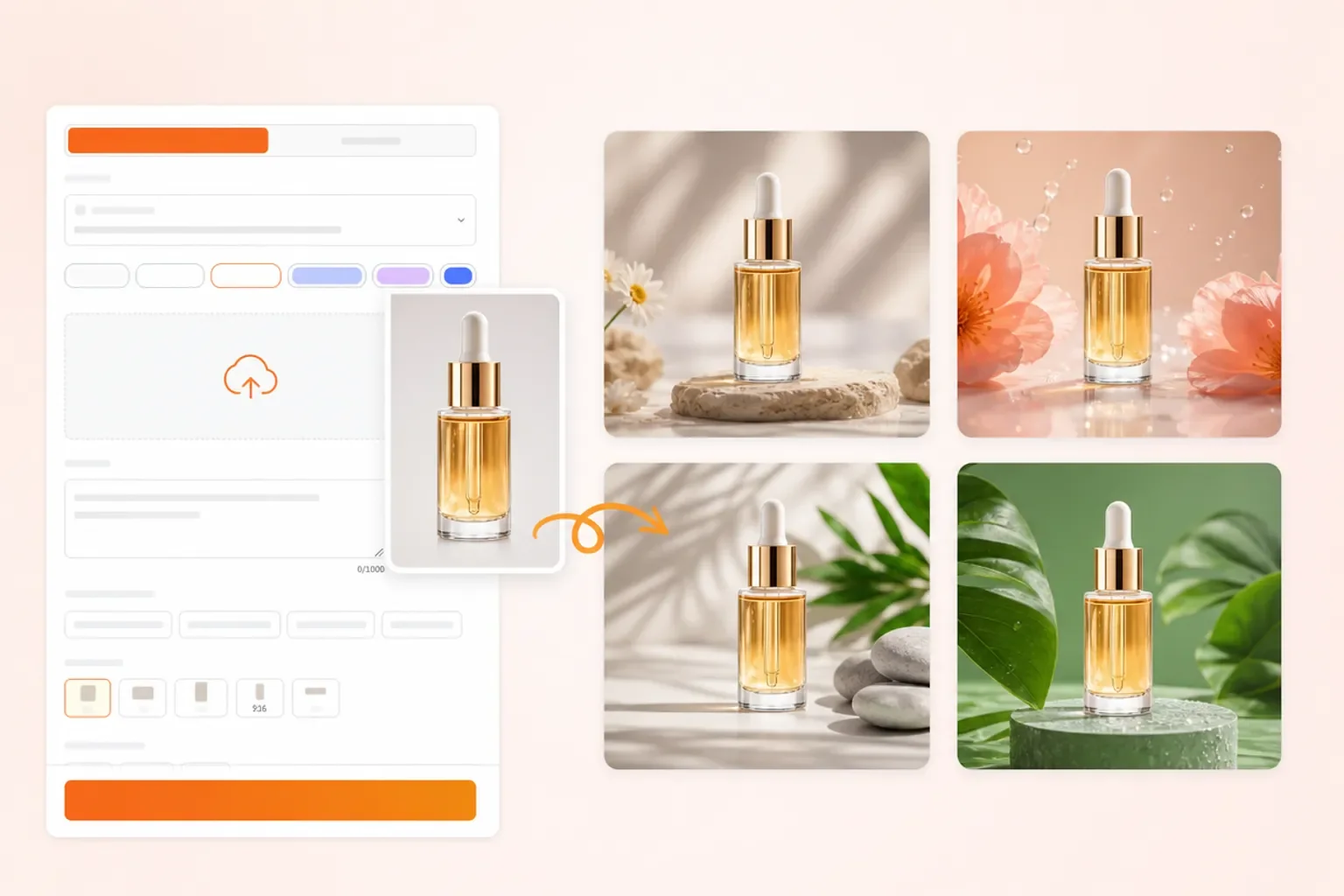
EzMaker alternative for creating product visuals with AI-generated backgrounds and multiple style variations

Need to Explain a Visual Idea Before You Can Design It?

Start with a rough description of the subject, mood, layout, and visual references you have in mind. EzMaker alternative workflows can turn that loose direction into a concrete concept board for a kickoff, critique, or internal planning session.

EzMaker alternative for portrait photo restoration

Does a Scanned Photo Need Careful Restoration?

Upload an old or scanned photograph and describe the cleanup you want, such as reducing scratches, rebuilding damaged areas, correcting faded tones, or simplifying distracting edges. You can also change the photo theme to give the restored image a different visual style or setting.

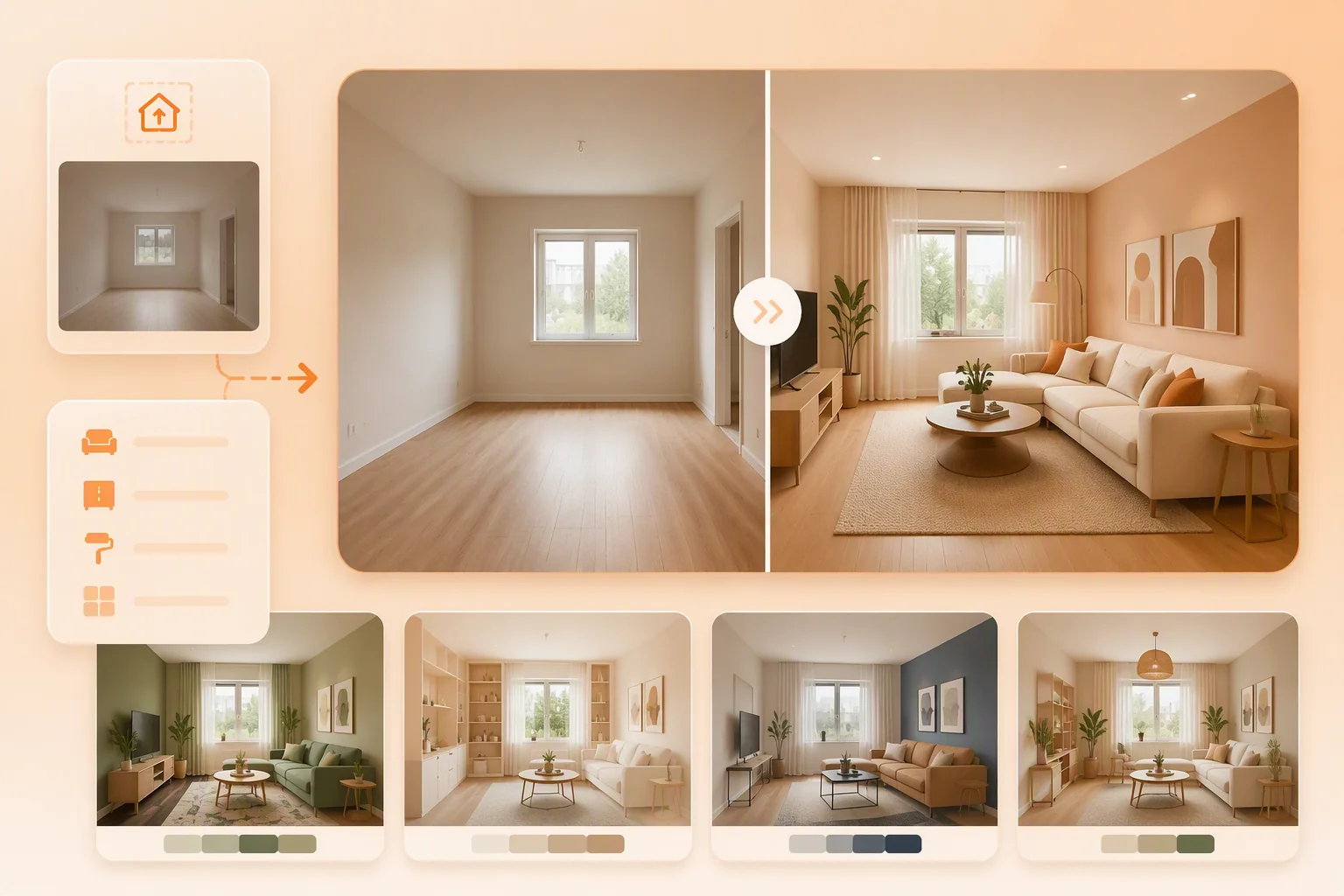
EzMaker alternative for AI room design

Want to Test a New Room Layout Before Moving Furniture?

Upload a room photo and describe the changes you are considering, such as replacing a sofa, adding storage, changing wall colors, or opening up the layout. Homeowners, renters, and interior planners can compare practical design directions before buying furniture or starting renovation work.

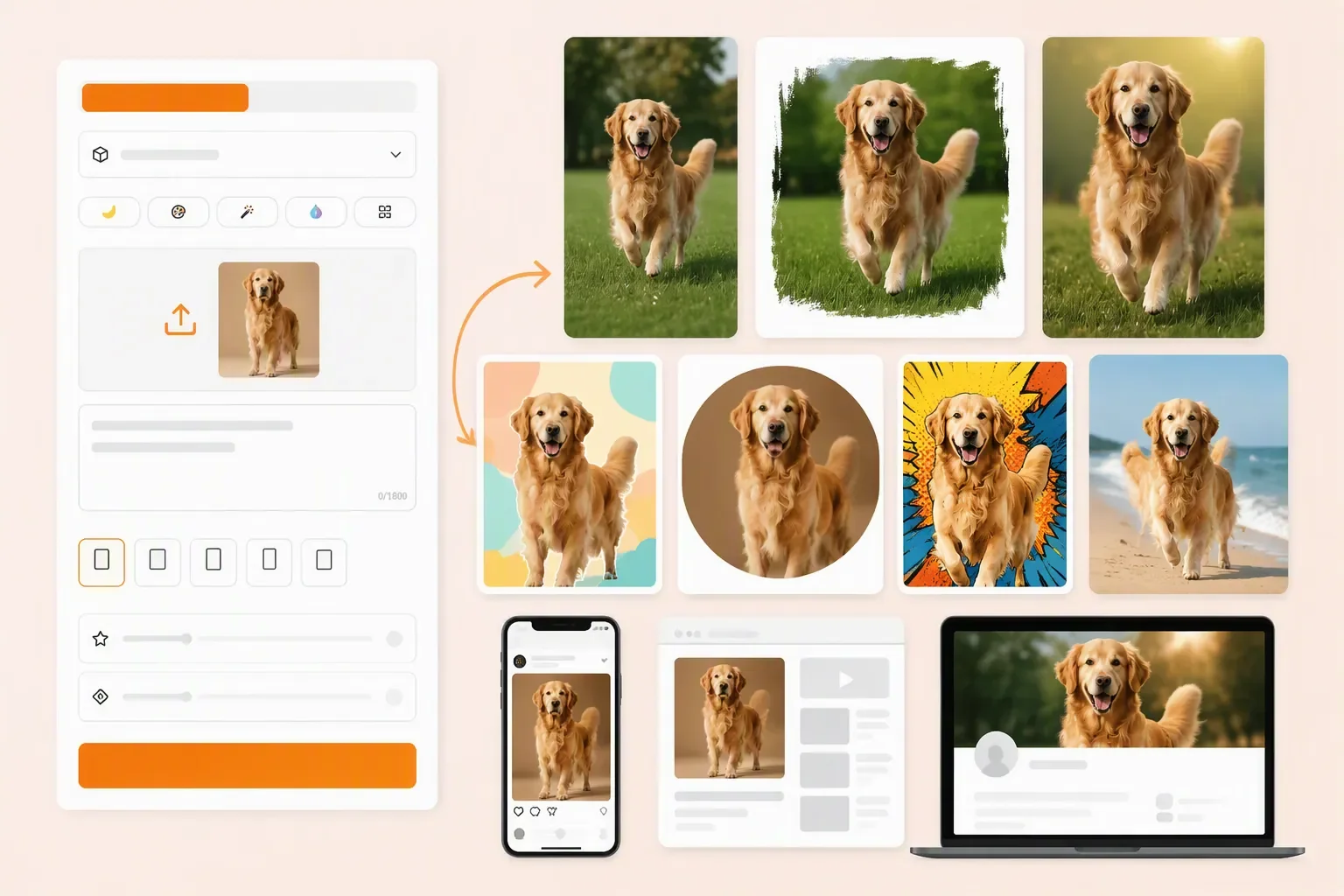
EzMaker alternative for transforming pet photos into creative AI-generated visuals and social content

One Content Idea Needs Several Social Formats?

Start with a source image or a short description and explore editorial, playful, minimal, or seasonal treatments. A content manager can shortlist a visual language, then adapt the strongest direction to posts, stories, thumbnails, and covers.

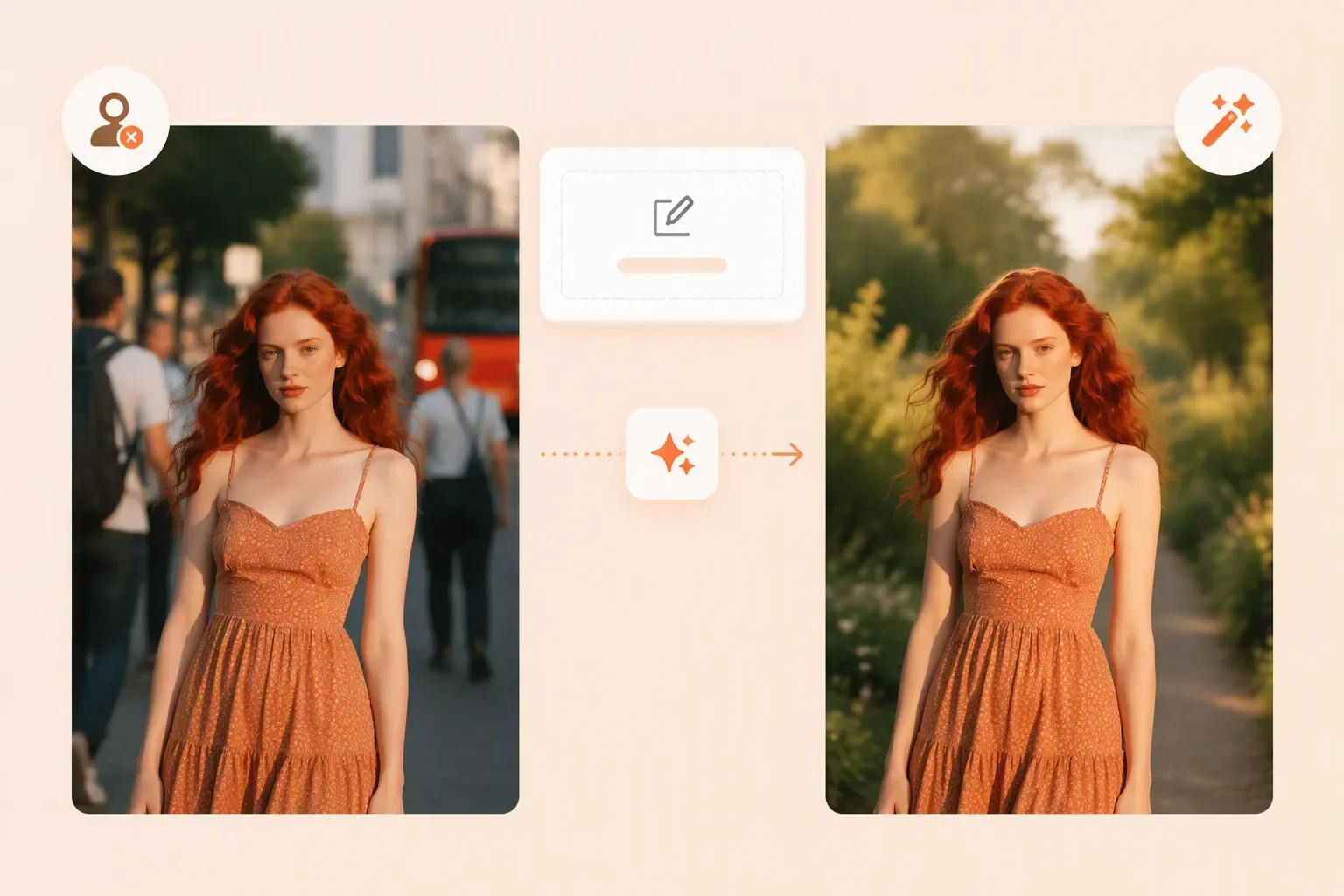
EzMaker alternative for removing backgrounds and enhancing portraits with AI-powered image editing

Does Clutter Pull Attention Away from the Subject?

Describe the unwanted object, distracting background, or new context. The editor can rebuild the surrounding scene so a product, person, or pet remains the clear focus of the final image.

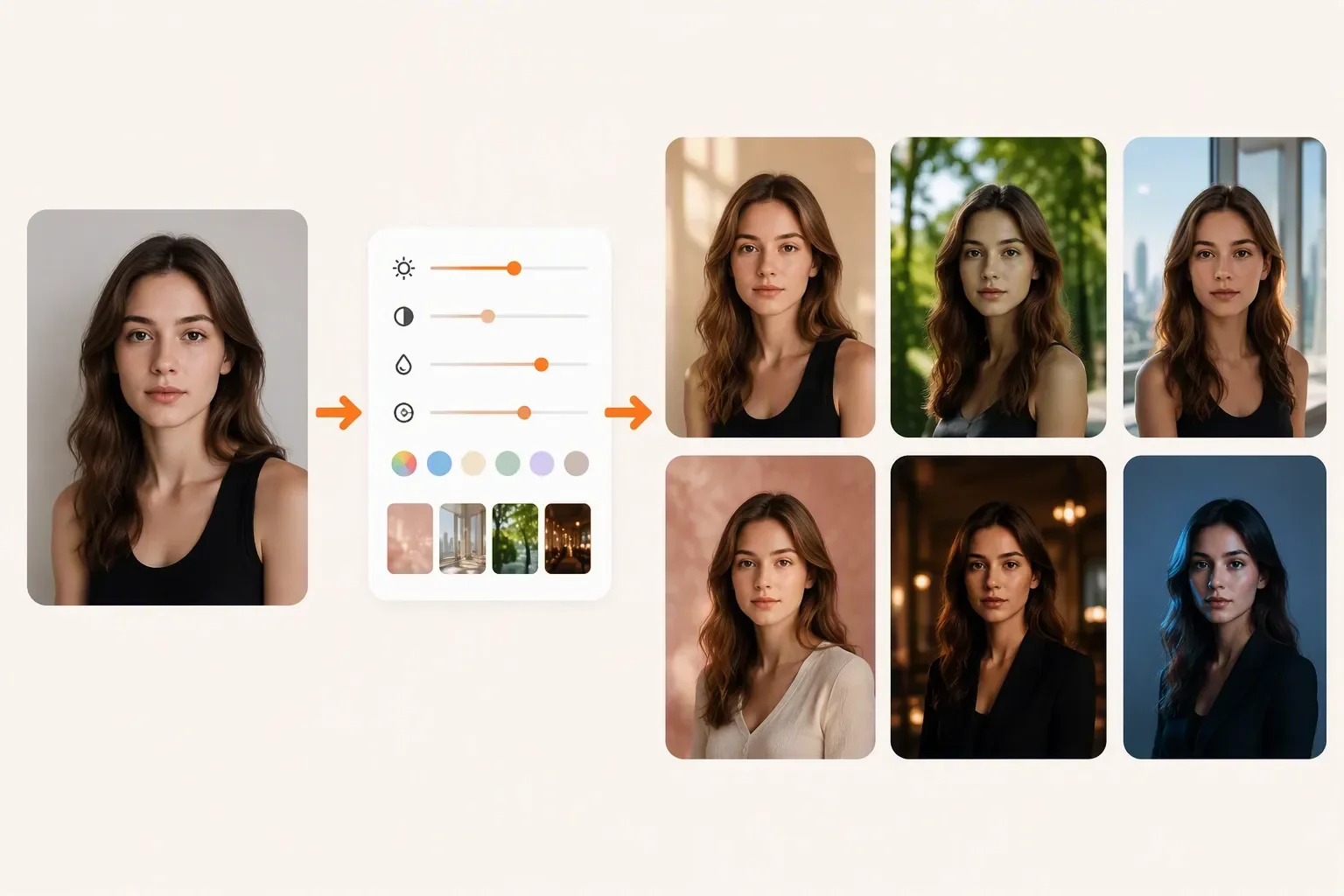
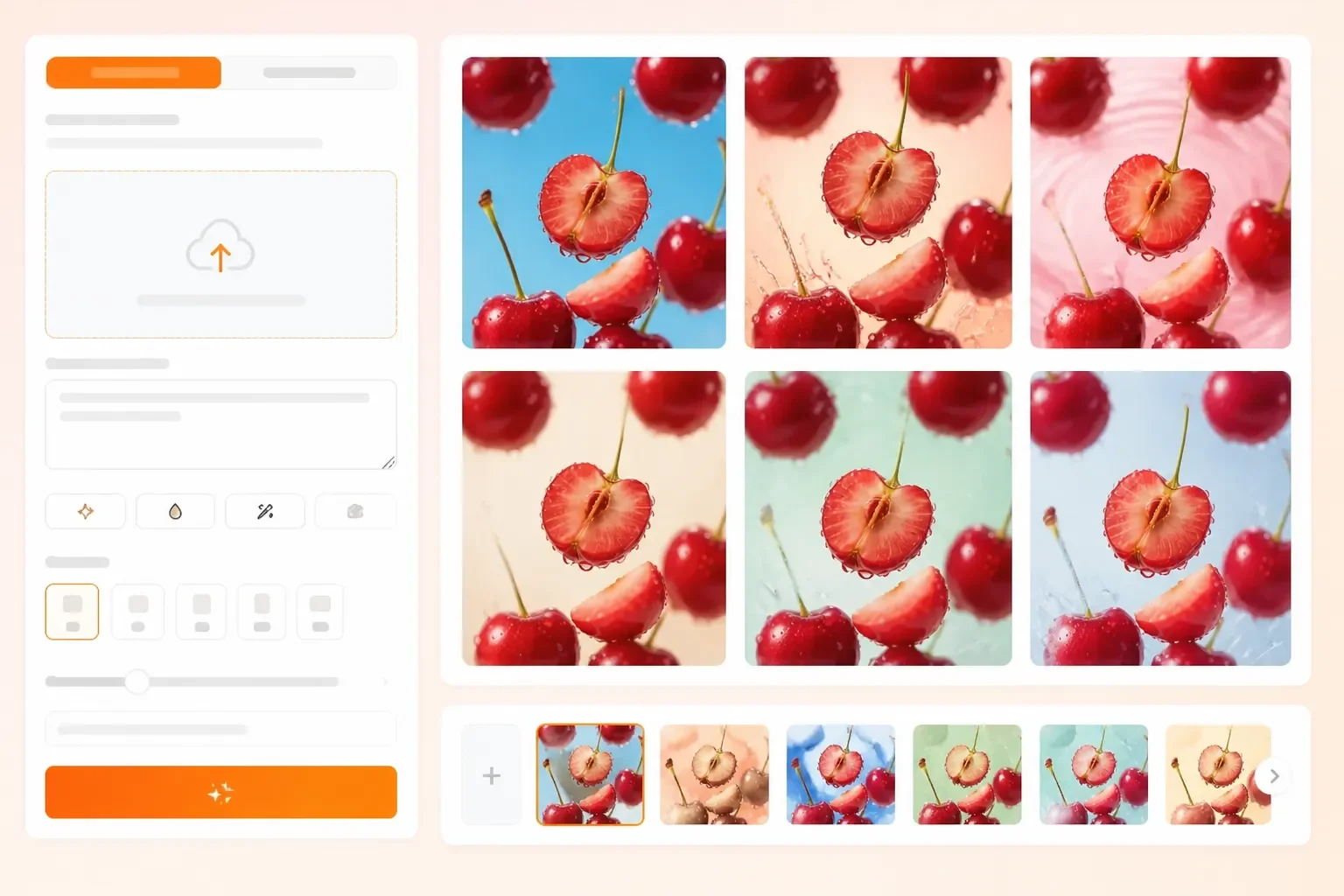
EzMaker alternative for creating multiple AI image styles from a single source photo

Stakeholders Need to See the Idea Before They Approve It?

Turn a written direction into several early visual samples and share them with a client, founder, or agency team. Concrete references make decisions about mood, composition, and product context easier than copy alone.

Why Try PhotoEditorAI as an EzMaker Alternative

Test the Workflow on a Real Brief

An online trial is more useful when it starts with the product photo, portrait, or campaign note you actually need to solve. You can judge the output against a real decision instead of a generic demo.

Bring the Asset You Already Have

If the original subject must stay recognizable, upload it as the reference. If the project is still an idea, begin with a description; the workflow supports both starting points.

Plan for the Destination Up Front

Choose aspect ratio, resolution, quality, and image count while the direction is still flexible. That makes it easier to prepare a draft for a listing, presentation, ad placement, or social feed.

Develop a Visual System, Not One Isolated Edit

The same brief can produce a hero scene, portrait treatment, campaign concept, or social variation. Exploring related outputs helps a small team keep its imagery coherent as the project expands.

Shorten the Handoff to Design Review

Prompt and reference-based drafts give marketers, founders, and designers something concrete to discuss before layers, masks, and final production files are created.

Keep Revisions Tied to the Original Idea

Source image, instruction, model, and output choices remain part of the same creative loop. When feedback changes the mood or context, you can revise that direction instead of starting from an unrelated blank canvas. That makes the EzMaker alternative useful for a first-pass creative review when a finished design is not yet required.

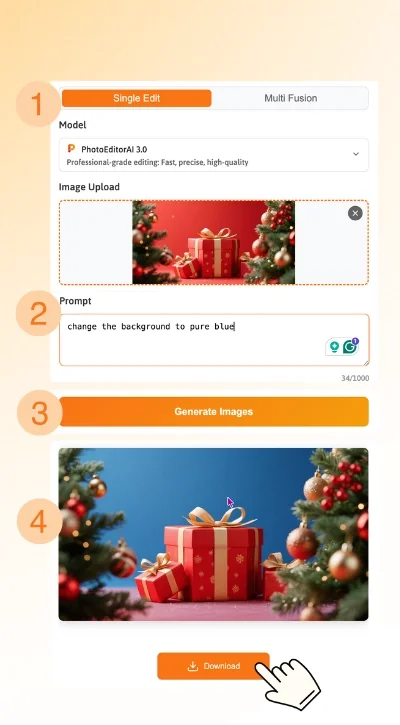
How to Use PhotoEditorAI Online

Select an Input for the Visual You Need

Upload a source image when a product, person, or existing composition should guide the result. If you are still at the concept stage, describe the scene and intended use in plain language.

Define the Scene, Change, or Mood

Write what must stay, what should change, and how the finished image should feel. Mention the subject, setting, lighting, style, and destination so the generated draft has a clear job.

Choose Output Settings Before You Generate

Select a suitable model and set the aspect ratio, resolution, quality, and image count for the channel you have in mind. These choices make comparisons more useful during review.

Generate, Compare, and Download

Create the first set of results, inspect the subject and composition, then adjust the instruction or settings when necessary. Download the version that fits your product page, portrait, advertisement, or social post.

Four-step PhotoEditorAI workflow for an EzMaker alternative

EzMaker Alternative FAQ

What is the EzMaker alternative?

It is an online workflow for people who want to turn a source image or visual brief into an edited or newly created image. PhotoEditorAI is designed for product, portrait, advertising, and social-content drafts.

Can I start from a written visual brief?

Yes. A written brief can include the subject, environment, mood, composition, and intended use. This is useful when you are planning a visual direction before you have a suitable reference image.

Can I restore an old or damaged photograph?

You can describe cleanup goals such as reducing scratches, repairing a damaged area, correcting faded tones, or removing an unwanted edge. Results should be reviewed carefully when the original image has important personal or historical details.

How can I keep an important subject recognizable?

State which elements must remain unchanged, such as a person's identity, a room's architecture, or a product's shape. Use the source image as the anchor and describe only the surrounding edits you want to explore.

Can I use this EzMaker alternative for commercial projects?

Yes. Images created or edited with PhotoEditorAI can be used for commercial purposes such as ecommerce product pages, advertisements, marketing campaigns, and social media content. Always review the latest usage terms and licensing conditions before publishing commercial assets.

Is my data safe when using this EzMaker alternative?

This EzMaker alternative is designed to provide a secure online editing experience. Your uploaded images are processed only to complete the requested editing task, and you should review the current privacy policy for the latest information about data handling and storage practices.

Can I use this EzMaker alternative for interior planning or archival work?

Yes. Possible uses include comparing room layouts, previewing furniture changes, preparing a cleaned family photograph, or creating reference versions for a design discussion. Treat the output as a visual aid rather than a construction or archival record.

What should I check before using an edited image?

Compare the result with the original for altered faces, text, patterns, edges, proportions, and important structural details. Make another revision when an edit introduces a detail that was not in the source.

Can I create multiple versions of the same image?

Yes. Keep the same source or brief and vary the scene, mood, model, aspect ratio, or quality settings to create options for different channels or campaign reviews. This gives an EzMaker user a clearer set of alternatives to compare before publishing.

Is PhotoEditorAI the same as EzMaker?

No. The tools may serve related image-making intent, but the working experience can differ. PhotoEditorAI centers on moving from a source image or description through model and output choices to a finished visual draft.